6 Inspiring Product Configurator Examples to Boost E-Commerce Sales
Written by Marie Lamonde
September 9th, 2026
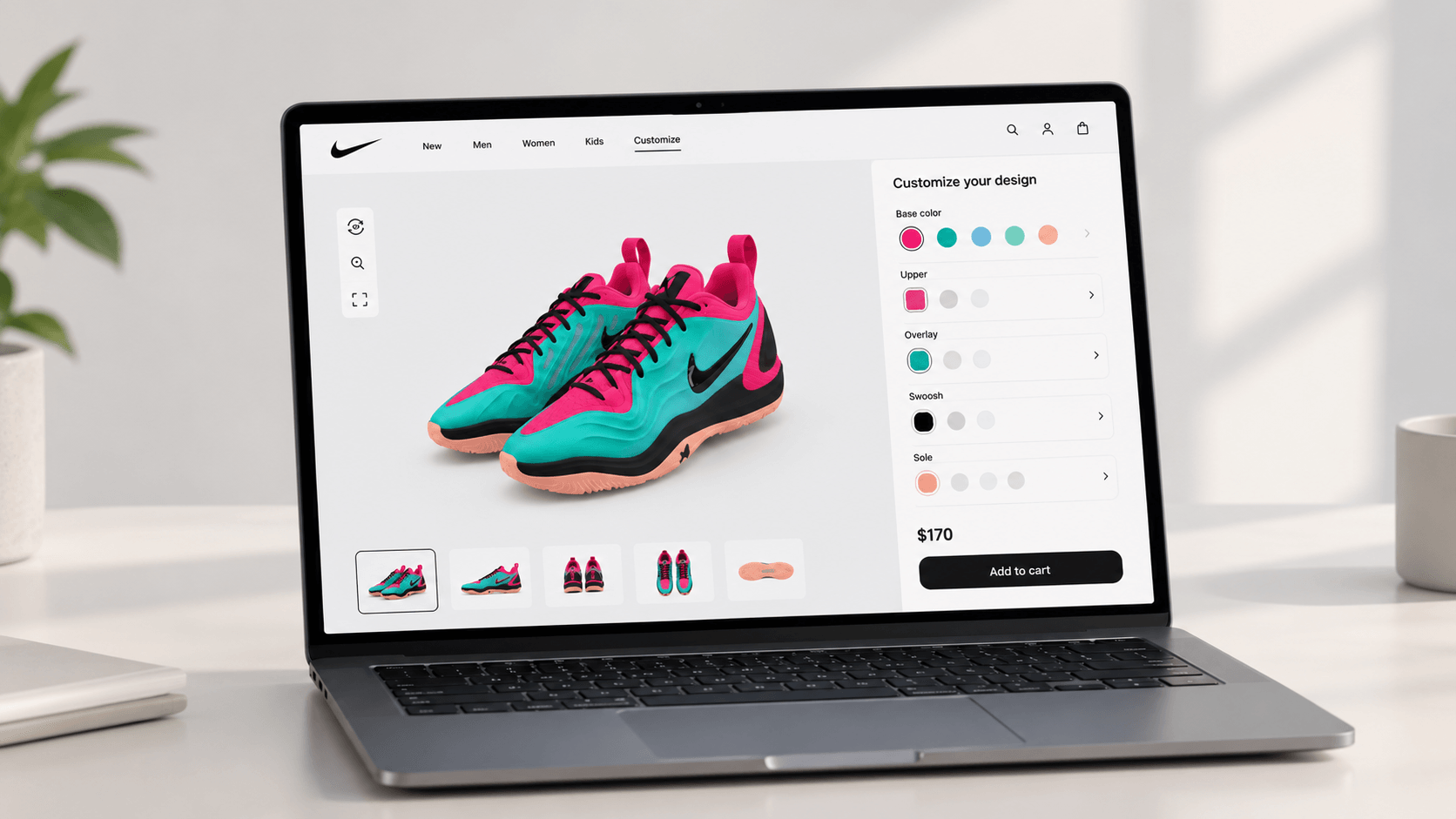
Table Of Contents
Looking to grow your revenue with customizable products? You're in the right place. The window to act is wider than most merchants realize.
Here's the deal: consumer behavior has changed. Shoppers no longer arrive at a product page expecting to pick from a dropdown of three colors. They want to co-create.
They want to feel like the product was made for them, because it can be.
This shift separates high-performing DTC stores from the ones running perpetual discount campaigns just to move inventory.
Bain & Company put numbers to what many merchants already sense. Fewer than 10% of online shoppers have ever customized a product, yet 25% to 30% are interested in doing so. That gap, the space between expressed desire and available opportunity, is an incredible revenue lever. Moving into that space early is not just about adding a feature. You are repositioning your entire business.
Customization is not a trend that peaks and fades. It is a proven strategy to command higher prices and build customer loyalty. The brands doing it well are not all global giants. Some of them started exactly where you are.
Why Static Product Pages Are Falling Behind
The core problem with a traditional product page is not aesthetic. It is cognitive.
When a customer looks at a flat image, they have to mentally simulate the final result. They have to imagine what the navy colorway looks like on the medium frame, or whether the custom engraving will fit. Most people cannot do that accurately. Most merchants never close that gap.
This is the imagination gap. It is directly responsible for abandoned carts and post-purchase returns. Meanwhile, customer acquisition costs are climbing. Attracting a visitor who does not convert is too expensive now. You cannot simply buy your way to profitability. Conversion rate optimization and average order value are the levers that actually protect your margins.
The return problem compounds this. The National Retail Federation reported that U.S. retail returns reached $890 billion in 2024, representing a 16.9% return rate. A massive portion of that figure comes down to expectation mismatches. The customer received something that did not match what they pictured. Static pages invite that mismatch.
Visual customization tools are the best way to avoid that. When buyers see their exact configuration rendered in real time, the purchase decision becomes grounded in reality.
What This Guide Covers
This is not a list of impressive screenshots. Each of the six product configurator examples gets a practical teardown: what the design choices actually accomplish, how the backend logic works, and what you can extract from the approach.
I'll show you brands across furniture, footwear, consumer electronics, automotive, B2B office procurement, and SaaS e-commerce. The industries are different, but the underlying principles are transferable. By the end, I'll show you a clear path for choosing and launching your own customization tool.
You do not need to be a global giant to offer a premium experience for your customers.
Let's jump in.
What Is a Product Configurator?
 Defining the Product Configurator
A product configurator is an interactive digital tool that allows online shoppers to customize products in real time by choosing colors, materials, features, and components. As customers make selections, the configurator dynamically updates both the visual preview of the product and its final price. This creates an immediate, transparent feedback loop that static pages cannot replicate.
This self-service experience bridges the gap between digital browsing and physical reality. Instead of trusting a product description, the buyer becomes the designer. They see choices rendered on screen, adjust until it looks right, and add to cart with high confidence.
If you want to look under the hood of the technology stack behind these tools, read our guide to product configurator software.
Core Mechanics: How Configurators Work Behind the Scenes
There are four distinct layers that make a configurator function. Understanding them matters when you are evaluating platforms or talking to a development team.
The visual interface is what the customer interacts with. It can be built on 2D layered imaging: transparent PNGs stacked in sequence, with each layer representing a component. Or, it can use full 3D models that users can rotate and zoom. The 2D approach is faster to load and easier to produce assets for. The 3D approach delivers a highly immersive experience, but it demands more asset preparation and performance optimization on mobile networks.
Behind the visual layer sits the rules engine. This is the logic brain of the configurator. It uses conditional relationships to ensure that customers only select compatible combinations. For example, if a user picks a small base frame, the rules engine automatically hides components that only fit a large one. Without this logic, you can end up with orders that cannot be fulfilled, which would be a manufacturing and customer service nightmare.
The pricing engine runs in parallel. Every component selection, material upgrade, or added feature triggers an instant price recalculation. Customers see the updated total in real time. This eliminates checkout sticker shock and makes premium upsells feel like natural choices rather than surprises.
Finally, there is the production output layer: the part that most marketing-focused articles ignore entirely. A well-engineered configurator does not stop at the add-to-cart moment. It generates print-ready production files, dynamic SKUs, and custom bills of materials that route directly to your fulfillment team. That automation is where the real operational value lives.
The Difference Between a Configurator and a Customizer
These two terms get used interchangeably, but they describe different experiences.
A product configurator is structured by design. It guides users through a finite, pre-defined set of options governed by rules. This ensures the final product is physically buildable. The merchant controls the boundaries. A product customizer, by contrast, opens the floor to creative freedom: uploading personal images, placing graphics anywhere, or typing free-form text. The customer sets the boundaries.
Neither approach is inherently superior. The most capable platforms today do not force a choice between them. They combine structured configuration with open-ended customization in a single interface. This gives customers creative latitude while keeping the order pipeline clean and manufacturable. We've covered how these hybrid systems operate in our overview of online configurator software.
Key Benefits of Using a Product Configurator for E-Commerce
Skyrocketing Conversion Rates and Engagement
Passive browsing is a low-commitment activity. The moment a shopper starts clicking through color options, swapping materials, and watching a product change in real time, something shifts. They stop evaluating and start owning. That psychological transition from observer to designer is what makes interactive configurators so effective at driving conversions.
The data behind this holds up under scrutiny. Kickflip's own review of the research found that customers who design their own products give companies a 50% higher Net Promoter Score, citing a Bain & Company survey showing these customers visit sites more often and demonstrate greater brand loyalty. Engagement follows a similar pattern: purchase probability peaks around the 50-second mark on a product page and declines the longer a shopper lingers past it, a reminder that a configurator's job is to build confidence quickly, not just keep people occupied.
These are not marginal improvements. They change how product pages perform. If you want to see real-world deployments that achieved lifts like these, this article about e-commerce configurators shows how brands across multiple categories executed the transition.
Slashing Costly Return Rates
Returns are expensive. You have reverse logistics, restocking labor, potential product damage, and the customer relationship cost of a disappointing experience. The primary driver of most e-commerce returns is a gap between what the customer expected and what arrived. A visual configurator closes that gap at the source.
Kickflip's own analysis of the research shows visual configurators reducing return rates by up to 40%. Against the backdrop of $890 billion in retail returns, that reduction is not a minor operational win. It is a direct margin recovery mechanism.
There is an environmental dimension here too. Fewer returns mean fewer reverse shipments and less packaging waste. For brands selling into European markets, there's also a compliance angle: the European Accessibility Act extends accessibility requirements to digital commerce, reinforcing the case for a configurator experience that's optimized and usable for every buyer. Our guide on implementing product configurators covers the backend setup required to capture these return-reduction benefits.
Driving Higher Order Value Through Customization Premiums
Customers who design a product invest something beyond money: they invest time, attention, and creative decision-making. That investment raises perceived value in a way that a discount never can. Bain & Company's research found that customers are willing to pay a 20% price premium for personalized products, precisely because the item feels authored rather than selected.
Configurators also function as natural upsell engines. When a customer sees that upgrading to premium leather costs an additional $18, or that adding a custom engraving is $12 more, the decision happens in context. They are already engaged and emotionally invested in the product they are building. That context makes the upsell feel like a natural extension of the design process, not a sales tactic.
The willingness to pay more shows up by category, too: Kickflip's research roundup found 81% of consumers would pay more for customized clothing, with comparable premiums in footwear, furniture, and accessories. For a growing DTC brand, that consistency compounds quickly. The financial ROI case, including how configurator revenue compounds across customer cohorts, is detailed in my definitive guide to product configurator software.
Inspiring Product Configurator Examples
1. Kickflip: E-Commerce and Shopify Customizer
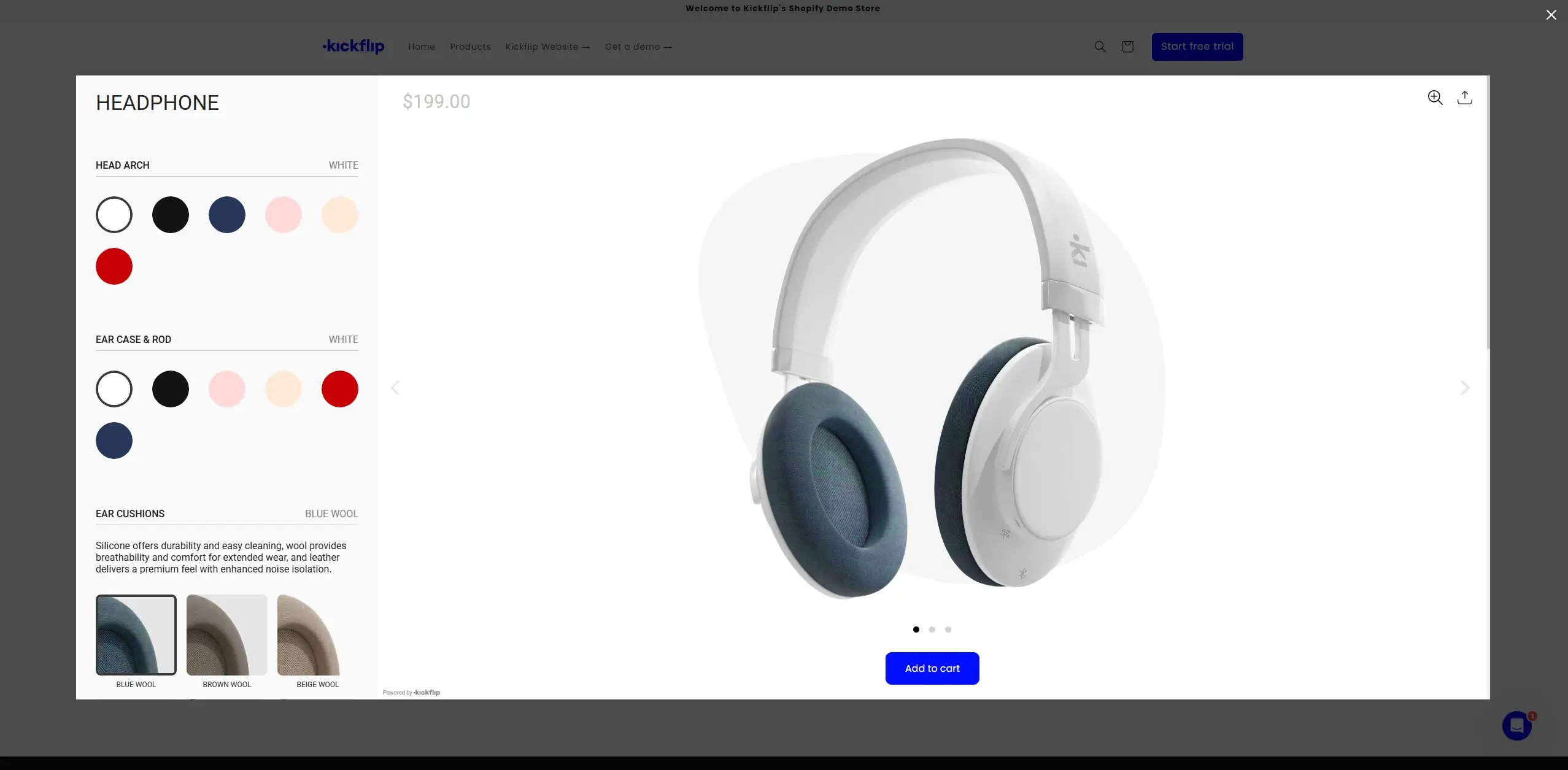
 Kickflip occupies a specific position in the configurator market: it is built for e-commerce from the ground up.
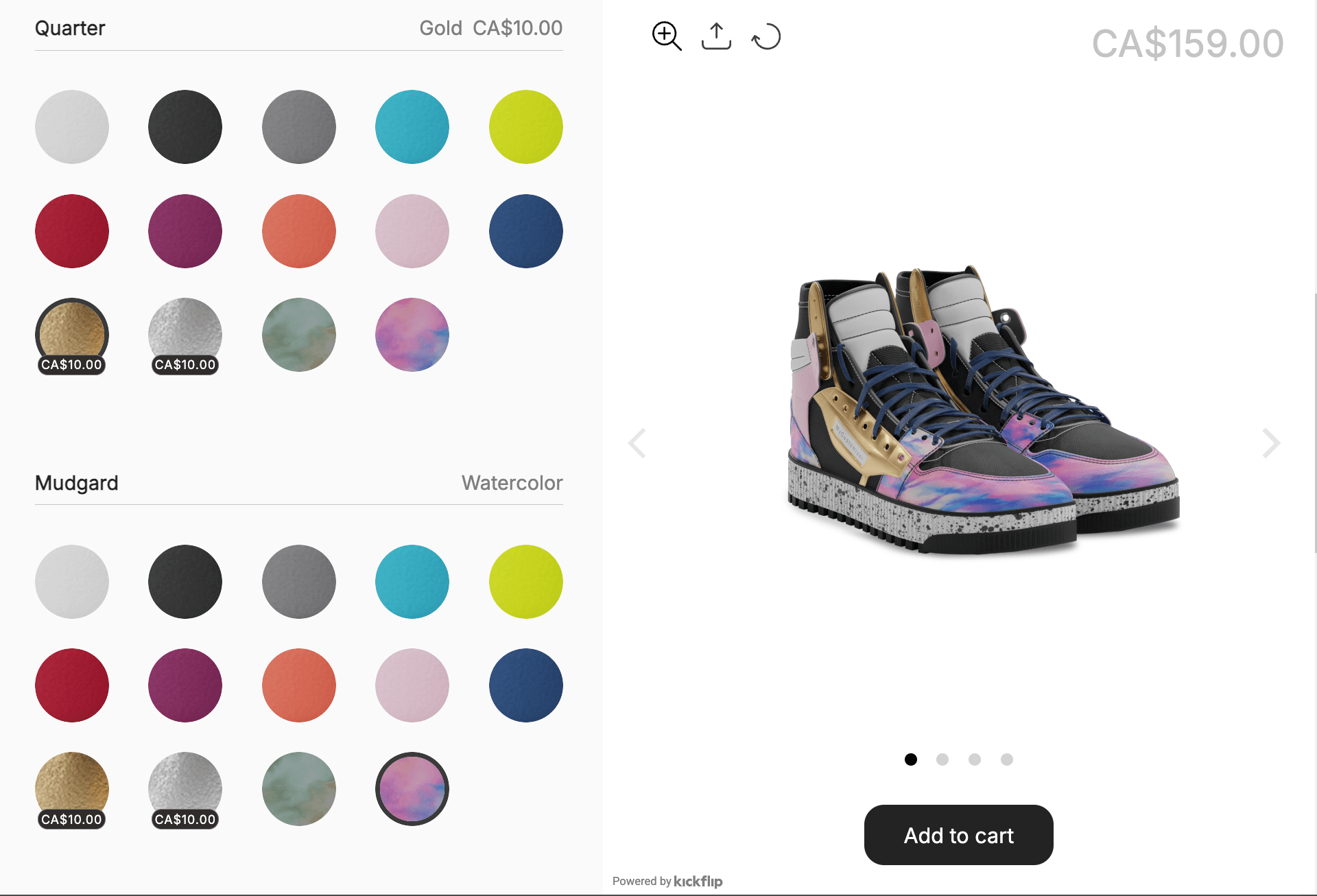
The platform supports a massive range of customization inputs, including color swatches, material textures, text engravings, and image uploads. Everything renders in a live, multi-view preview that updates the moment a customer makes a selection. Brands across sporting goods, footwear, furniture, jewelry, apparel, and electronics have deployed it. The breadth of those use cases reflects the tool's ability to handle both simple personalization and complex, multi-component product structures.
What separates Kickflip from lighter-weight alternatives is the depth of its conditional logic engine. You can define rules that govern which options are compatible with which base configurations. This prevents customers from assembling products that cannot be manufactured. When an order is placed, the platform automatically generates print-ready production files and dynamic pricing details. The order arrives at your fulfillment team already packaged for execution. No manual translation required.
For anyone evaluating options, Kickflip consistently ranks among the best product configurator software available. It is built to be the most capable customizer for Shopify brands, delivering premium output without the enterprise implementation timeline or budget.
You can try for free for 14 days.
2. Tylko: 3D Furniture and AR Configurator
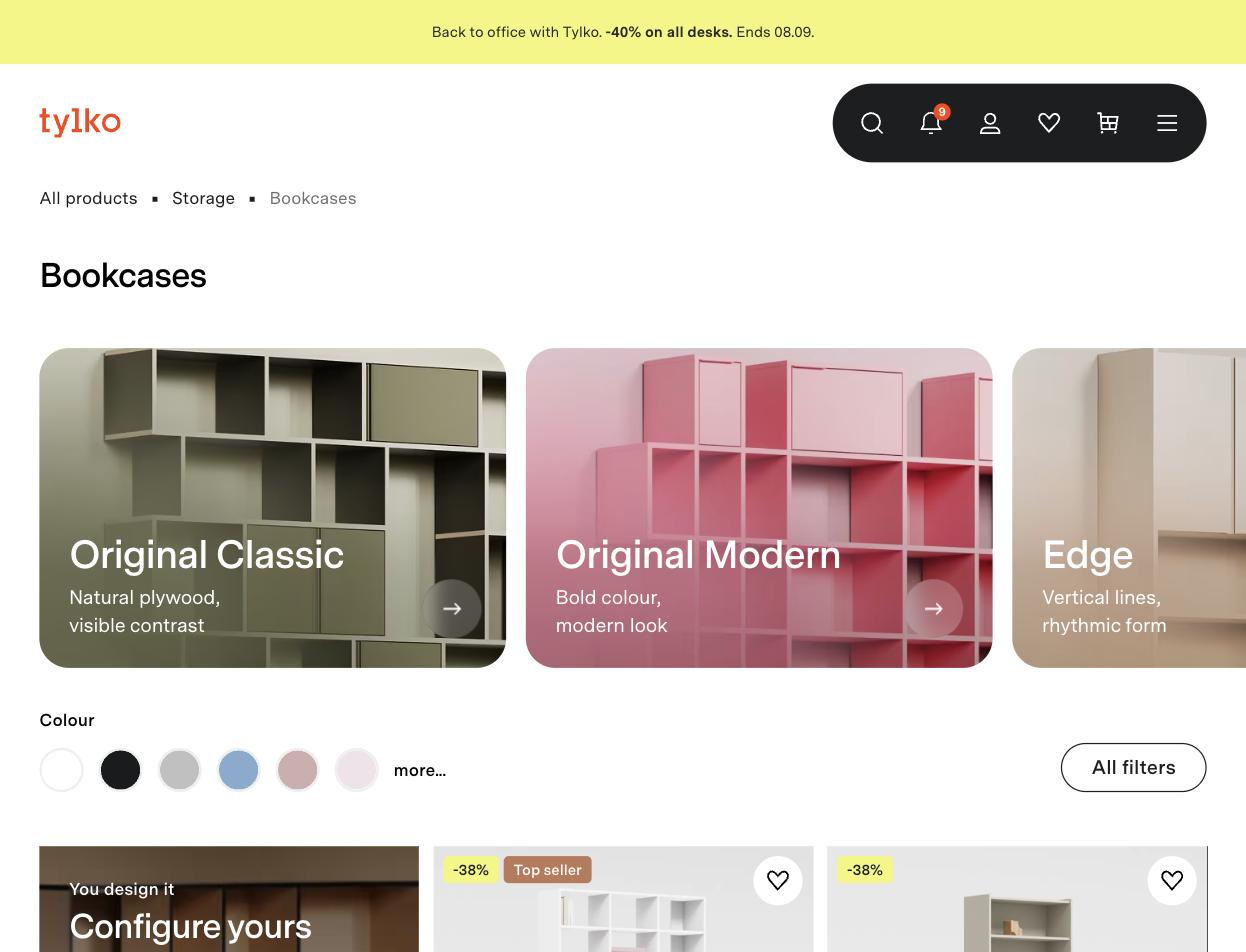 Tylko's challenge was not just selling furniture online. It was selling furniture that has to fit a specific wall, in a specific room, in a home the brand has never seen. That is a hard problem. Their configurator is built to solve exactly that.
Using Tylko's web-based 3D interface, customers adjust the height, width, depth, color, and internal layout of bookshelves in real time. The configurator renders each change with enough visual fidelity to give a genuine sense of the finished piece. The highly valuable feature is the AR mobile integration. Customers project their configured furniture directly onto their actual living room wall through their phone camera. This lets them check proportions and color against the real space before committing.
The manufacturing integration is where Tylko's system shines. When an order is confirmed, the system is designed to translate the configuration directly into CNC-ready production instructions and a custom bill of materials, rather than handing off a spec sheet for a human to interpret. The customer's design choices become manufacturing instructions with minimal manual steps in between.
For merchants selling physical goods with dimensional or spatial constraints, Tylko's approach demonstrates how a configurator can solve a customer anxiety problem and a production accuracy problem simultaneously.
3. Fender Mod Shop: Consumer Goods and Component Assembly
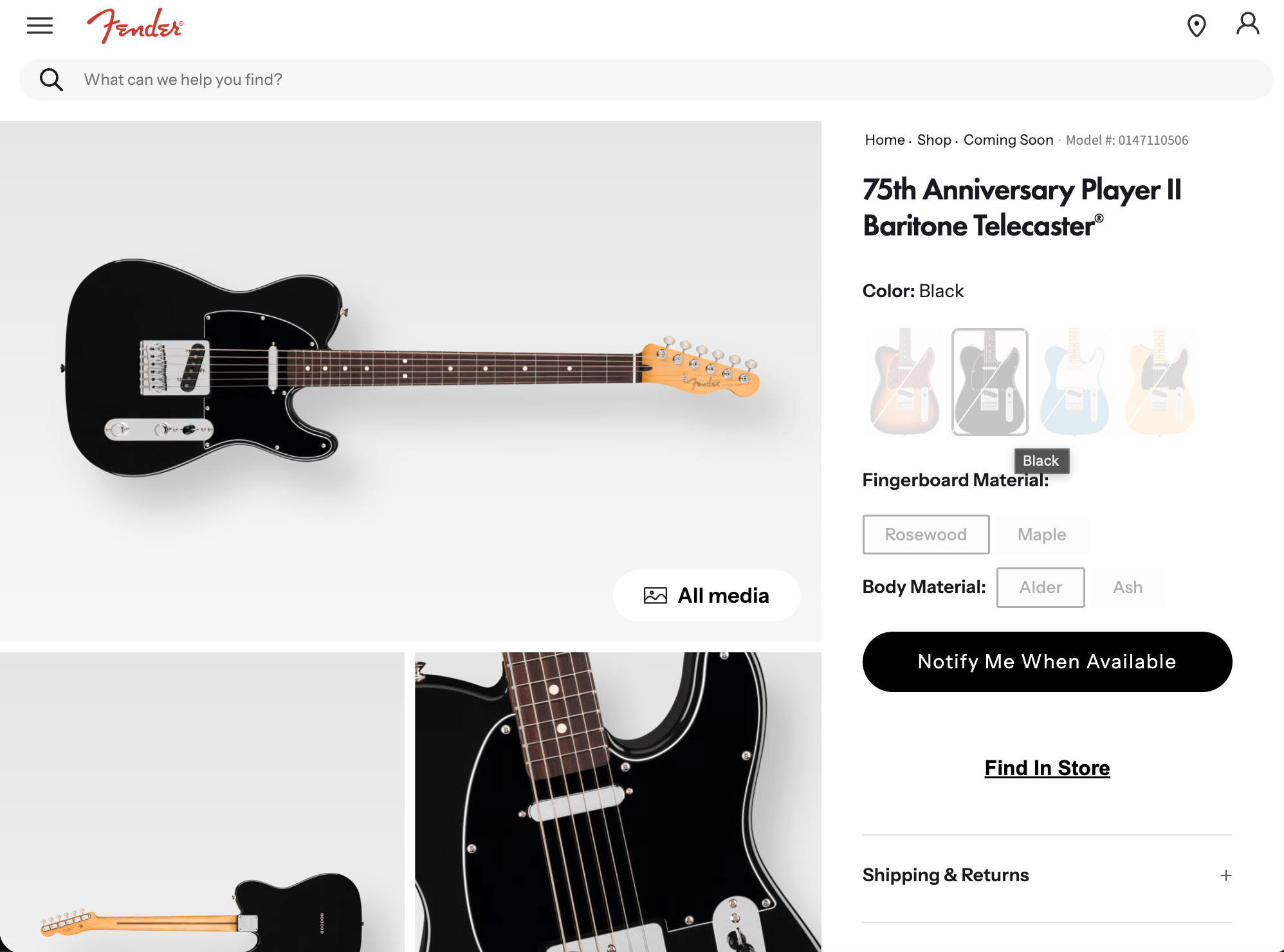 Fender's Mod Shop is a rule-based configurator operating under strict constraints. Those constraints are the entire point. Every guitar that ships from the Mod Shop has to be physically buildable by a factory technician. That means the configurator's logic layer carries real manufacturing responsibility, not just visual polish.
Buyers start with a base instrument, like a Stratocaster or Telecaster, and work through every component. This includes body wood, neck profile, pickups, pickguard, and finish. The rules engine filters options at each step based on prior selections. Choose a specific neck heel shape, and certain body routing configurations disappear from the menu. Select a vintage-spec tuner footprint, and modern locking alternatives are hidden.
The visual preview renders wood grain, metallic finishes, and translucent colors with high fidelity. This justifies a price point that runs well above a standard production instrument. Delivery takes approximately 30 days. The customer knows this upfront, and the wait is framed as part of the craft narrative rather than a logistical inconvenience.
The lesson for merchants is not about guitars. It is about what happens when you treat configuration logic as a manufacturing safeguard rather than just a UX convenience. Order accuracy improves. Customer service escalations drop. And the premium price becomes defensible because the product is genuinely singular.
4. Tesla: Automotive and Feature Selection
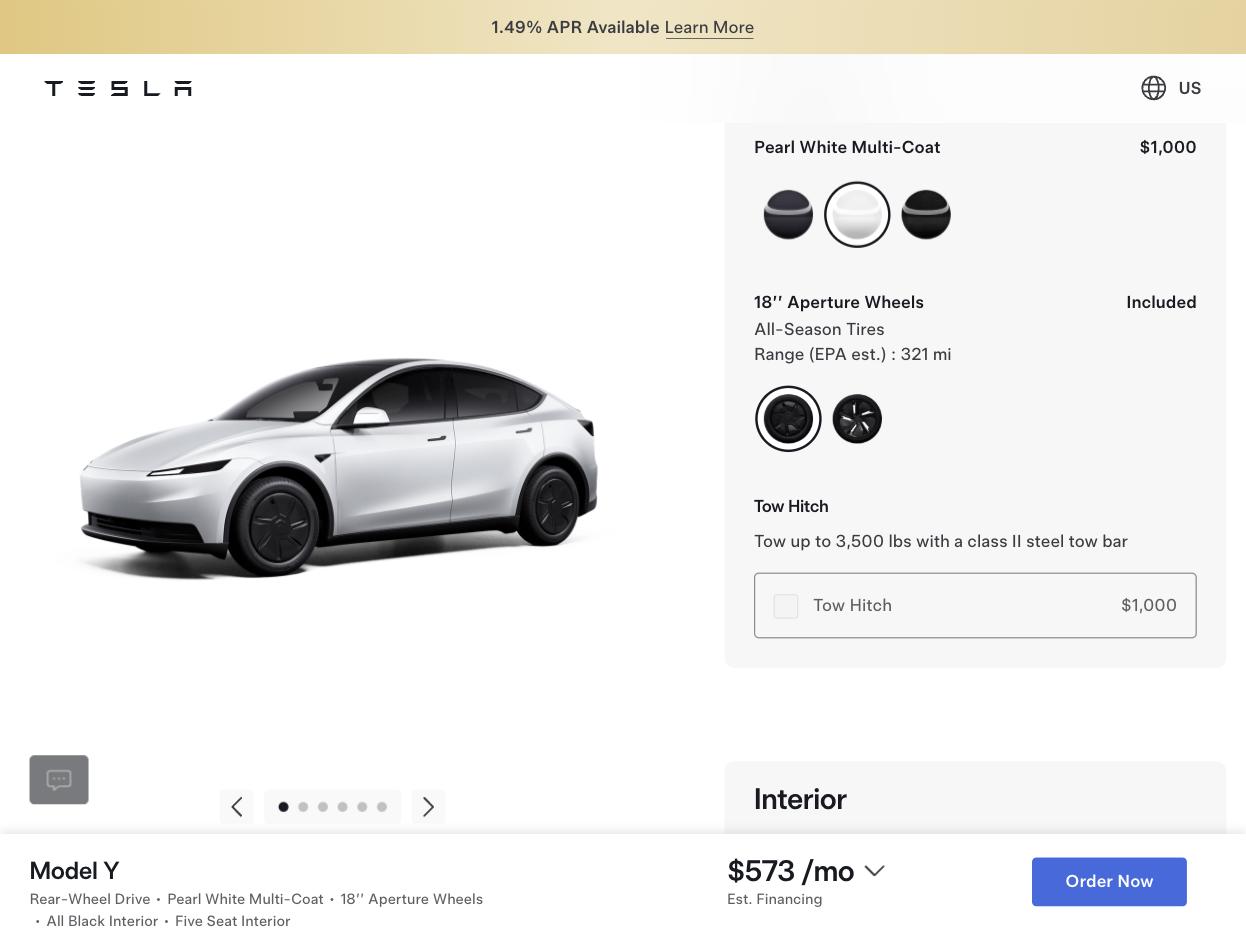 Tesla's configurator is a widely studied example of guided selling applied to a high-ticket purchase. Buying a vehicle involves more decision variables and financial exposure than almost any other consumer purchase. Tesla's interface handles that complexity by breaking it down into discrete, sequential steps.
The buyer moves through model selection, exterior paint, wheel style, interior configuration, and software features in a linear flow. Each screen presents exactly one category of decision. The customer never faces the full matrix of available combinations simultaneously. This is precisely what prevents the choice paralysis that derails big purchases.
Pricing updates in real time at every step. So does the estimated delivery window. So does a calculation showing projected fuel savings versus a gas vehicle. That last element is worth noting: the configurator is not just showing what the product costs. It actively builds the financial justification for the purchase while the customer is still in the design flow.
For merchants selling complex or expensive products, the Tesla model offers a clear structural template. Break the configuration into stages. Show one decision at a time. Let the pricing and value narrative build progressively rather than landing all at once.
5. Steelcase: B2B and Office Space Planning
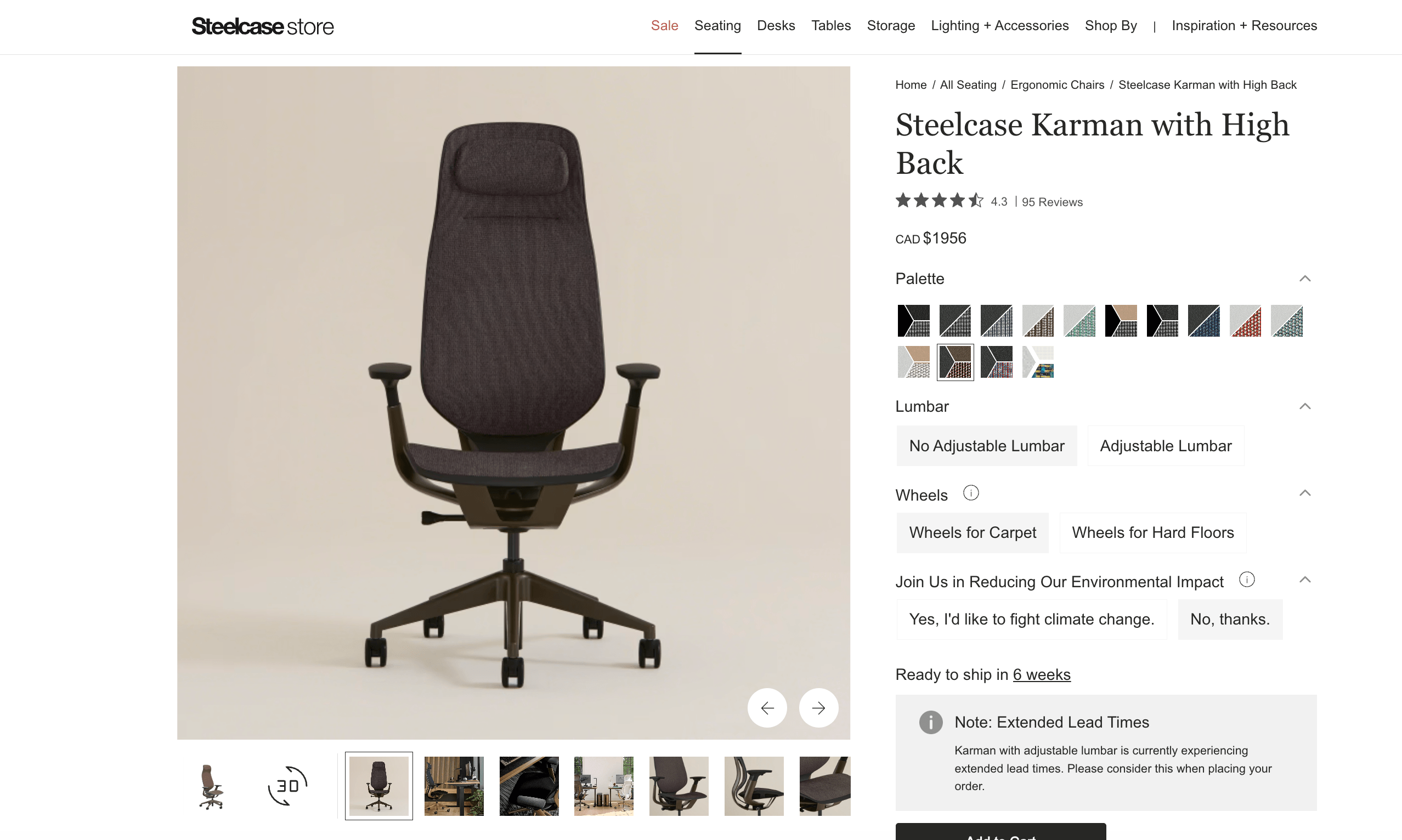 Steelcase operates in a procurement environment where accuracy is non-negotiable. A corporate buyer specifying 200 ergonomic chairs cannot afford a configuration error that results in mismatched frame finishes. The configurator's job is to make that kind of error structurally impossible.
Corporate buyers, architects, and interior designers use Steelcase's tools to specify chairs, desks, and workstation systems. They choose across hundreds of fabric colors, finishes, and ergonomic adjustments. The system is built to validate selections against commercial safety and engineering standards as the buyer configures, catching invalid combinations before they become an order rather than after. When the configuration is complete, it generates a quote and a technical specification sheet — documents that would otherwise require a sales rep and several days of back-and-forth to produce.
That speed is the real value in B2B configurator deployments. The buyer gets a faster, more accurate procurement experience. The vendor eliminates manual quoting labor and reduces the error rate in complex orders. Both sides win on efficiency.
Configurators are not exclusively a DTC instrument. In B2B contexts, they are a sales cycle compression tool with measurable impact on deal velocity and order accuracy.
6. Nike By You: Footwear and DTC Personalization
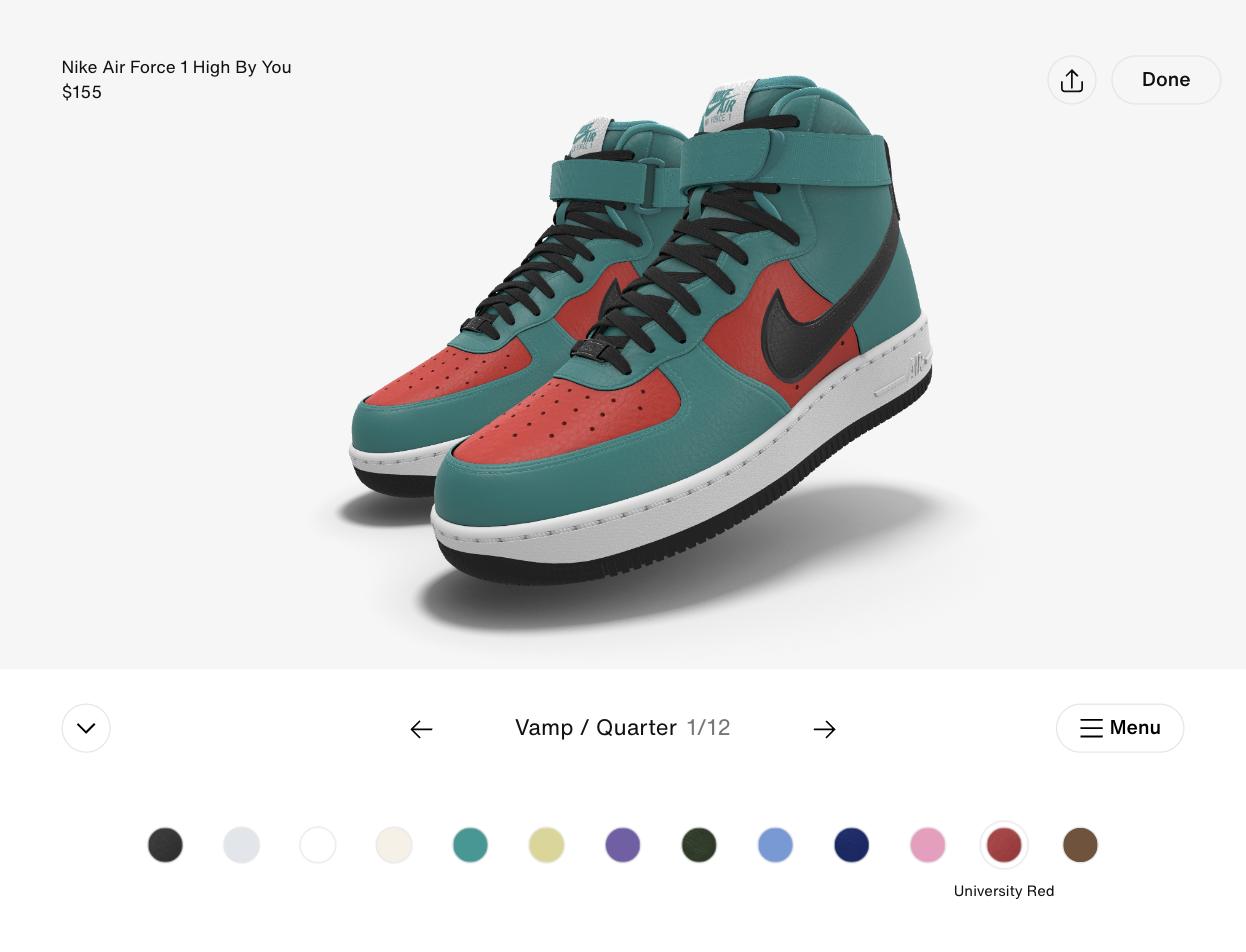 Nike By You has been running long enough that it is easy to take for granted. It shouldn't be. When Nike launched the predecessor to this program, the idea that a mass-market footwear brand could offer individual consumers a design role, at scale and profitably, was unproven. The execution made it standard.
The configurator lets shoppers customize nearly every panel of iconic silhouettes. This includes the outsole, midsole, swoosh, tongue, laces, and lining. Material and color options vary by panel. The interface is built mobile-first. That matters because a significant share of Nike's traffic arrives on phones. A configurator that degrades on mobile loses the audience it most needs to retain.
The pricing premium is real and deliberate. A standard Air Force 1 retails at one price, while a Nike By You version of the same shoe commands a higher one. The customer pays more because the product is theirs. That emotional ownership is what drives the premium. It also drives social sharing: customers post their designs because they made them.
If you want to see how brands across categories have executed this kind of personalization strategy, my roundup of product customization examples covers twenty real-world deployments worth studying.
How Kickflip Simplifies E-Commerce Customization
Democratizing Advanced Customization Without the Six-Figure Price Tag
Historically, building a configurator that could compete with Nike or Fender required custom development. The price range was $100,000 to $300,000. The timeline was measured in months, and the maintenance burden landed on your team indefinitely. That model kept advanced customization locked inside organizations with massive budgets.
Kickflip was built to dismantle that barrier. It delivers high-fidelity rendering, multi-view preview capability, and deep conditional logic. You get all this through a SaaS platform that you can deploy without a dedicated engineering team. The cost structure is predictable. The setup is fast. The output quality is not compromised.
This is not a marginal improvement over older SaaS configurators. Earlier platforms offered shallow customization, like basic color swaps via dropdown menus. Or, they required heavy technical configuration. Kickflip sits in the space those tools could not reach: fully customizable and quick to launch. If you want to see how the build process actually works, my documentation on how to create a product configurator walks through the setup in practical terms.
No-Code Setup and Native Shopify Integration
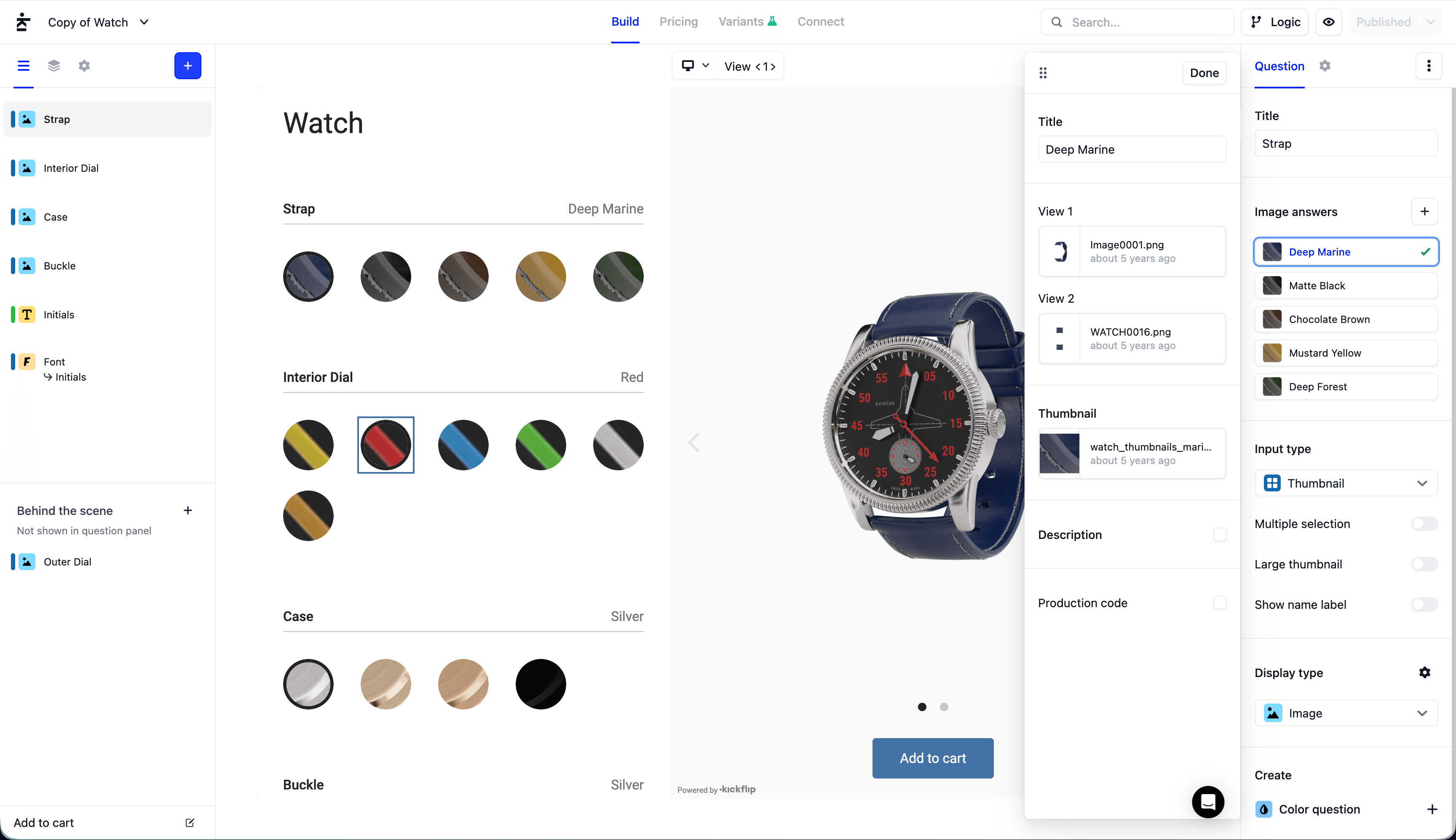 The most common hesitation among merchants who want to offer customizable products is not about desire. It is about implementation anxiety. The concern is that setting up a configurator will require developer cycles, custom API work, and ongoing technical maintenance.
Kickflip's interface is built for product and design teams, not engineers. The drag-and-drop visual builder lets your team upload assets, configure option layers, set pricing rules, and update product selections entirely independently. No code. No developer dependency. When your product line changes: like a new colorway, new material option, or discontinued SKU: your team makes that update directly. No need to open a support ticket.
The Shopify integration is native, not a workaround. Kickflip embeds directly into existing product pages through Shopify's app embed framework, inheriting your store's visual identity for a seamless, on-brand experience. That native embed is built to keep mobile load times tight and the shopping experience cohesive.
Speed to market is a genuine advantage here. If you decide to launch a customizable product line today, you can have an operational configurator running fast, which means you can start increasing order value and reducing returns sooner.
Powerful Rules Engine and Dynamic Pricing
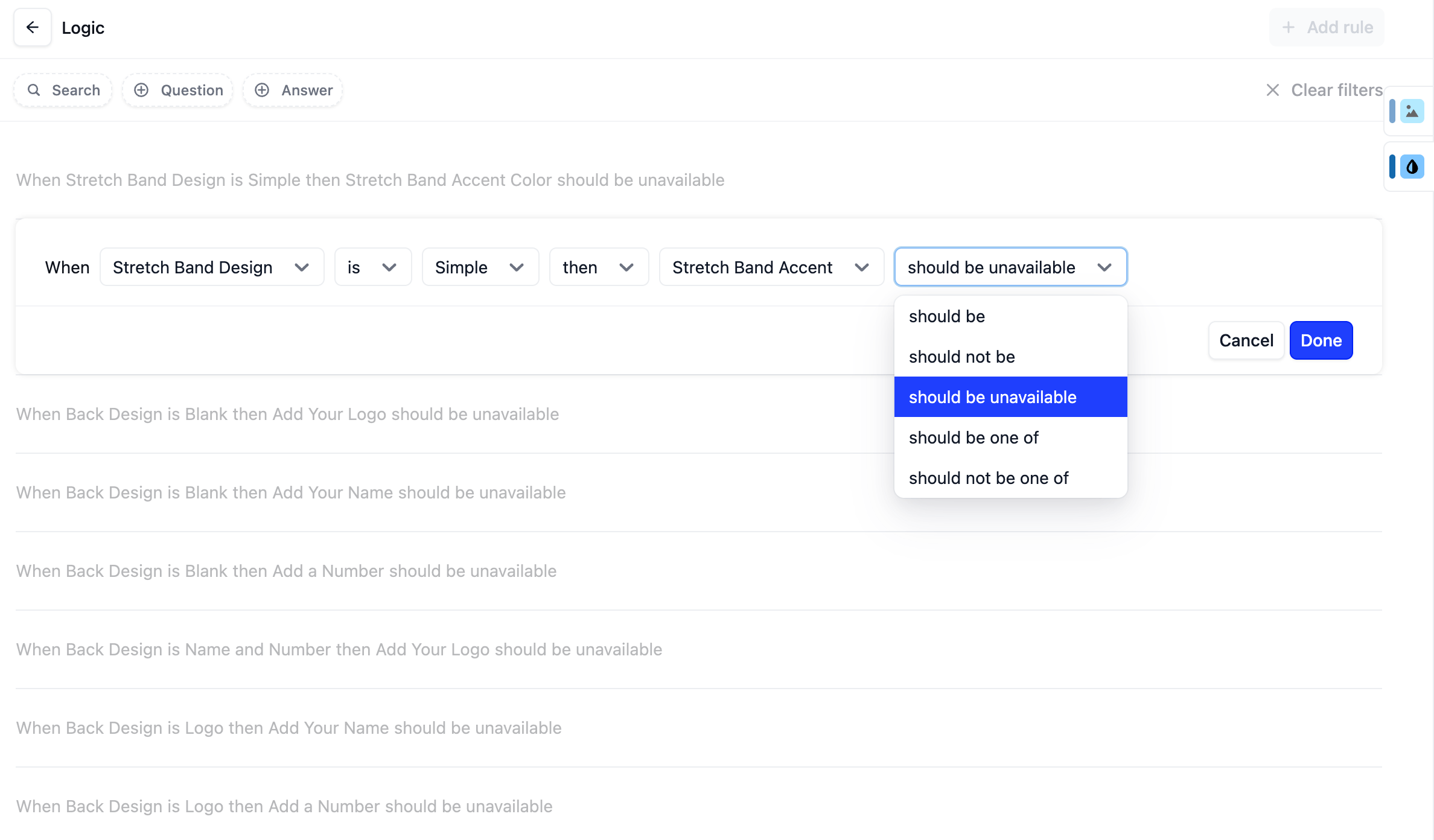
The conditional logic layer in Kickflip is where the platform earns its credibility with merchants who sell complex products. You can define rules that govern option visibility, compatibility constraints, and pricing adjustments at a granular level. This ensures that customers only design products that can actually be manufactured.
When a customer completes their configuration and checks out, the backend workflow triggers automatically. Print-ready production files are generated. Dynamic pricing details are captured. Order specifications are formatted for your fulfillment team. The order arrives downstream already translated into production instructions. This eliminates the manual interpretation step that causes errors in high-volume custom operations.
If you need to justify the investment to your team, or if you're an agency partner who needs a platform you can confidently recommend, Kickflip's reliability matters as much as the features. The platform is built to scale alongside you, so it won't become a technical liability as order volume grows.
Start a free trial or book a demo with Kickflip today, and see for yourself how quickly a configurator can go from setup to live on your store.
Conclusion: Taking Your First Step Toward Customization
Product customization is no longer reserved for brands with the budget to commission six-figure custom builds. The six examples in this guide span automotive, furniture, footwear, consumer goods, B2B procurement, and SaaS e-commerce. What they share is not scale or budget. It is a commitment to giving customers a design role in the product they are buying.
The business case is well-documented. Higher conversion rates. Fewer returns. A 20% price premium that customers willingly pay because the product feels authored rather than selected. Order values that climb as customers add premium options at the moment they're most invested in the product. These are not theoretical outcomes. They are what happens when you remove the imagination gap from the purchase process.
For Shopify brands, the practical question is no longer whether to offer customization. It is how to do it without a developer dependency, a long implementation timeline, or a massive budget. Kickflip was built to answer that question directly. The platform delivers enterprise-grade configurator capability through a no-code interface that your product team can manage independently. It integrates natively with Shopify, and it is priced for brands that are growing rather than already grown.
Start your free trial of Kickflip today. Let's build a premium experience for your customers.
Frequently Asked Questions
What is a product configurator? A product configurator is an interactive digital tool that lets customers customize a product's features: colors, materials, components, text, or uploaded images: in real time on your website. As they make selections, the visual preview and the price update instantly. The buyer knows exactly what they are getting before they commit to the purchase.
Can you give me an example of product customization? Configuring a laptop online is a clean example. You choose the processor tier, RAM capacity, storage size, and exterior finish. The page shows you the exact configuration and the final price before you order. The same logic applies to a custom sneaker, a personalized piece of jewelry, or a made-to-order shelving unit: the customer defines the product, and the tool renders it.
What are the different types of configurators? The three most common are 2D layered configurators, which stack transparent image assets to simulate customization; 3D configurators, which render a rotatable model; and rule-based configurators, which use conditional logic in complex B2B or manufacturing contexts. Many modern platforms, like Kickflip, combine elements of all three.
What is the difference between a configurator and a customizer? A configurator guides users through structured options, with rules ensuring the final product is manufacturable. A customizer offers more open-ended freedom: uploading your own photos, typing free-form engraving text, or placing graphics anywhere. The distinction matters operationally: configurators are easier to fulfill at scale; customizers require more flexible production workflows.
What are the benefits of using a configurator? The primary business impacts are higher conversion rates, reduced return rates, increased average order value, and an automated order fulfillment workflow. Customers who design their own products convert at higher rates, return them less frequently, and pay more for them. The perceived value of something they co-created is higher than a shelf-stock alternative.
What does "configurator" mean? It refers to a digital interface that enables a user to assemble a specific product from a defined set of options and rules. The term comes from the concept of configuration: defining the exact composition of something before it is produced.
What is another word for "configurator"? Common alternatives include product builder, visual configuration tool, custom product engine, and interactive design studio. In manufacturing contexts, you will also hear "CPQ tool" (Configure, Price, Quote). This describes the same concept applied to complex B2B sales workflows.
How do you use a configurator? A customer visits a product page, opens the customization interface, and works through a visual menu of options. They select colors, materials, components, or add personalized text. The tool updates the product image and price with each choice. When the design is complete, they add it to cart and check out. The entire experience is self-service.
What does "product configuration" mean? It is the structured process of defining a specific product variation by selecting from options and rules. The goal is to produce a final specification that is both commercially valid, meaning the customer wants it, and operationally valid, meaning it can actually be manufactured and delivered.
Future reading
Ecommerce Configurator Explained: Examples, Benefits, and Must-Have Features
25 Inspiring Product Customizer Examples To Learn From
5 powerful product visualization ecommerce examples
Share This article

Written by Marie Lamonde
September 9th, 2026
Marie Lamonde is a Content Marketing Manager at Kickflip with 8 years of experience writing about digital marketing, SaaS, and ecommerce. She specializes in creating clear, search-driven content that attracts, engages, and converts.


Maarten Luyckx
Osaka World
The user-friendly interface of Kickflip, combined with excellent customer service, ensured that this project was brought to a successful and beautiful conclusion.
Shopify App Store
May 20, 2021

Marie-Laetitia Rossazza
My Dust Bag
It took me a long time to find the perfect customizer app, and I’m so happy to say that I finally did! Kickflip is truly the best app on the market. The front end and back end are excellent, and the team behind it is incredibly kind and helpful!
Shopify App Store
September 1, 2023

Brad Jurga
All-Star Sporting Goods
Kickflip made everything easy, from designing the builder all the way through launch. We’re designing truly custom equipment for elite baseball players and this platform allows us to have better engagement and excitement around our brand. We’re seeing an instant return.
Shopify App Store
June 16, 2025

Kasper Taylor
CodedInk
My experience with both the product and the support team has been fantastic. The user interface and user experience are excellent. The features are powerful, and the WooCommerce integration is seamless and easy to set up.
G2.com
June 16, 2025

Saber Naceur
Vinylacy
By far, and I truly mean it, the best customizer available on Shopify. It’s easy to understand and manage, offers options for all types of products, and works extremely well. On top of that, it looks beautiful and feels premium. Highly recommended.
Shopify App Store
December 17, 2022

Jesus Guillermo de León Pérez
Dismo
Kickflip is a fantastic tool. It’s super intuitive, easy to use, and packed with capabilities. You don’t have to be an expert or have experience with other products to get started. The support team is also great and very responsive.
Shopify App Store
July 10, 2024

Frieder Urban
Era of Arc
We were looking for an uncomplicated configurator that was quick and easy to set up, offered plenty of design options, and worked reliably with fast loading times. We tested many configurators on the market, and with Kickflip, we found exactly what we needed.
Shopify App Store
October 10, 2024

John Taggart
Jack Harry and Ollie
What a great addition to our business Kickflip has been. It’s been fantastic to offer our customers the ability to personalize their orders. The support has been excellent, and we especially love that the pricing is tied to our success as customers make purchases.
Shopify App Store
May 7, 2021

TJ Garske
The Net Return
Kickflip saves our team a ton of time by eliminating the need to create custom mockups for customers. Customers can build their product themselves and place an order instantly, without any back-and-forth.
G2.com
January 26, 2026

Amin Hasani
CURVD
After extensive research into product customizer tools, we chose Kickflip for many reasons. We don’t like complicating simple tasks for customers, and Kickflip helped us simplify the process and create a seamless customer experience.
Shopify App Store
July 29, 2025