How to Create Customizable Products in Shopify (And Get Past the 3-Option Limit)
Written by Marie Lamonde
October 27th, 2026
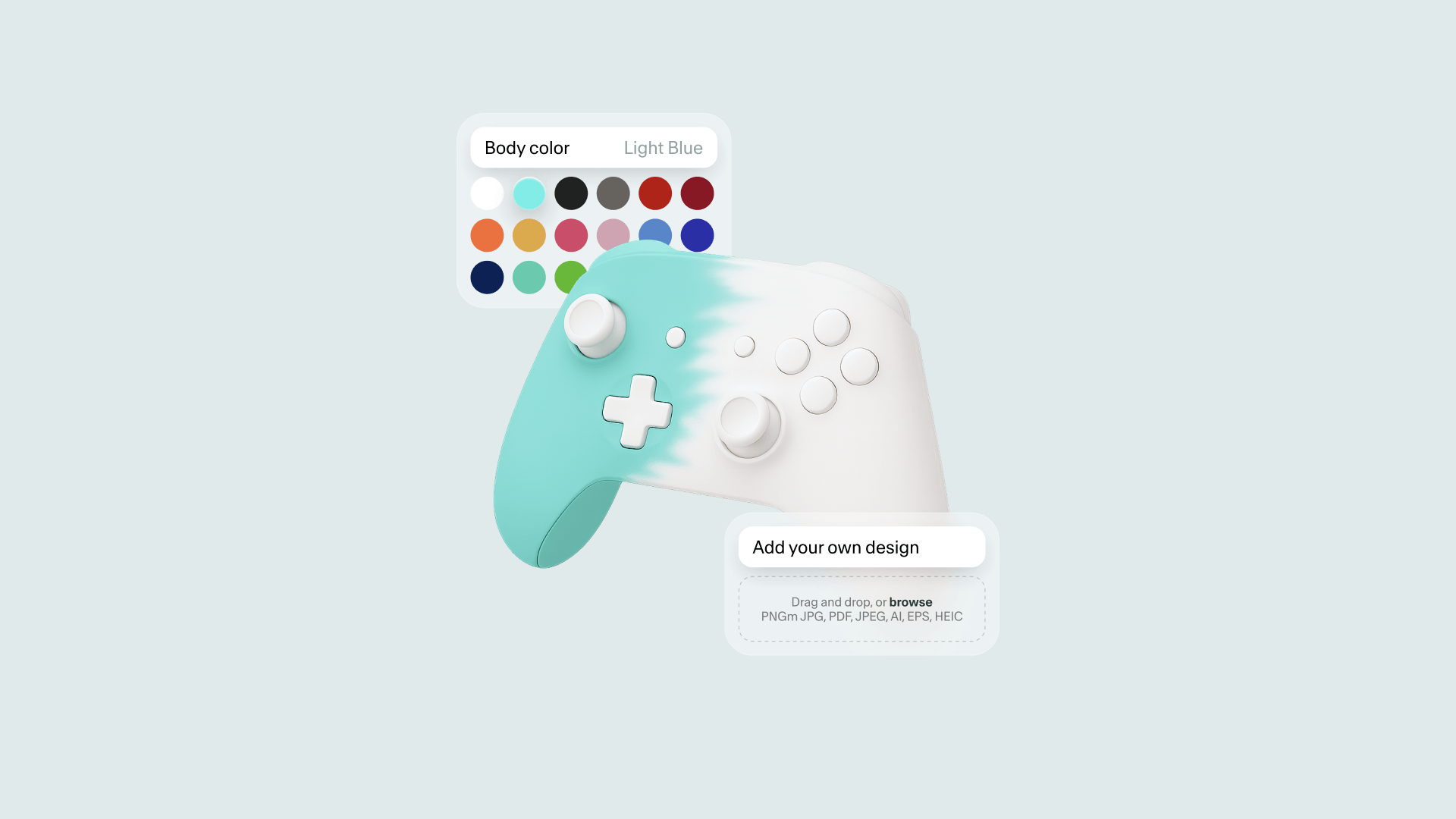
Table Of Contents
A standard product page asks customers to pick from what you have in stock. A customizable product page invites them to design something of their own, and that changes how they value it.
When customers build a product themselves, they feel it’s theirs before they’ve even bought it. That’s why personalization tends to lead to higher prices, bigger orders and fewer returns. A 2024 study in the Journal of the Knowledge Economy found that both functional customization (how a product works) and aesthetic customization (how it looks) increase what customers are willing to spend.
Two ways Shopify handles customization
Before you start, it helps to know the two systems Shopify uses:
Variants are preset options like Size, Color or Material. Shopify creates every combination as its own item, with its own SKU, price and inventory. They’re built in and easy to use, but you’re limited to three option types per product.
Line-item properties are custom fields, like a text box for engraving or a file upload for a logo. The customer’s input is attached to the order, but no new SKU is created and no inventory is tracked.
An engraving shop may only need a simple text field. A brand selling products with many parts, colors and rules will need a visual product customizer.
Method 1: Shopify’s native features
Product variants
If your product only has a few options, variants are the simplest choice. Go to Products, open your product, and add your options (for example Size and Color) in the Variants section. Shopify generates every combination automatically. Then set the price, SKU and stock for each one.
One tip: if a premium material costs more, make sure you update the price on every variant that uses it. Otherwise, customers could buy the premium option at your base price.
Custom text and file upload fields
To collect custom text (like an engraving) or a customer file (like a logo), you can add custom fields to your product page. This means adding a small amount of code to your theme, usually in a dedicated product template that you assign only to your customizable products.
It’s free and works well for simple needs. But it does take some technical comfort, results can vary depending on your theme, and uploaded files are attached to the order rather than saved in your media library.
The limits of native Shopify customization
The 3-option limit
Shopify now allows up to 2,048 variants per product, up from 100. That’s great for stores with lots of sizes and colors. But you’re still limited to three option types. If you want to offer color, material, size and custom text on one product, native Shopify can’t do it.
Too many variants to manage
The number of variants grows fast. 5 colors × 4 materials × 3 sizes = 60 variants, each with its own SKU, price and stock. Add a new color and you have to rebuild the whole list. Some older apps and themes also struggle with large variant counts.
No live preview, no rules
This is the biggest problem for conversions. Custom products usually can’t be returned, so customers want to see what they’re buying. Shopify has no built-in way to show a live preview of their choices, like their text on the product or a color change in real time.
Shopify also can’t apply rules between options. If black leather shouldn’t be paired with blue stitching, nothing stops a customer from ordering it.
Method 2: Using a product customizer app
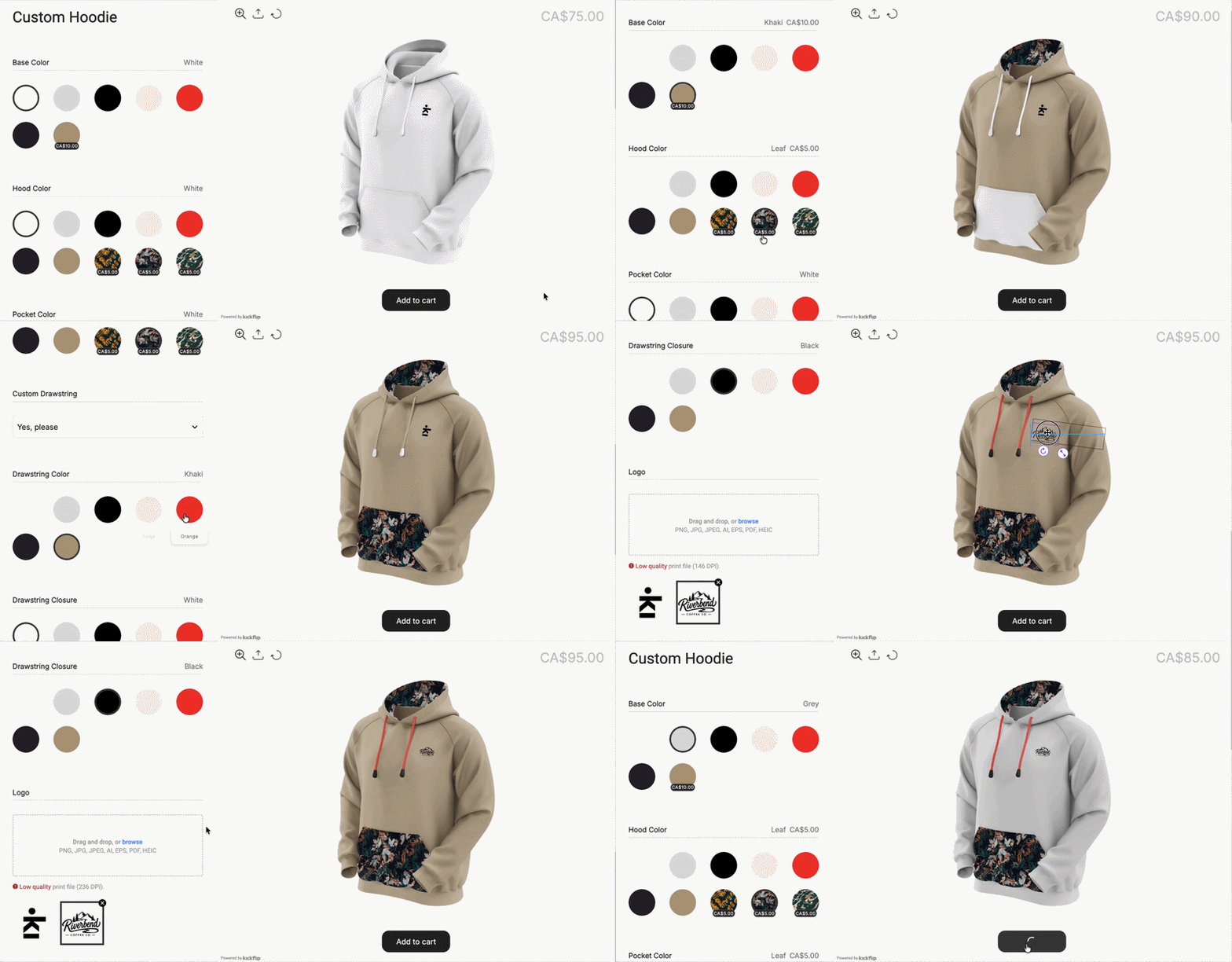
To get past these limits, use a dedicated product customizer app. Basic options apps add more fields to your product page, but they don’t show a visual preview. A visual product customizer like Kickflip goes further: customers see their product update live as they make choices, prices adjust instantly, and your rules prevent impossible combinations.
Here’s how it works with Kickflip.
Step 1: Install Kickflip
Install the Kickflip app from the Shopify App Store and connect your store.
Step 2: Prepare your product images
Kickflip builds the live preview by stacking images of each part of your product. Prepare each part as a transparent PNG, all at the same size (1200 x 1200 px is recommended). For colors, you don’t need one image per color: a white or grayscale image can be colored automatically.
Step 3: Add your options and rules
Create your questions (like “Base Color” or “Material”) and the answers customers can choose from, then link each one to its image. Customers can also type text or upload their own logo. Next, set rules to hide options that don’t work together, so your team never receives an order it can’t make.
Step 4: Set your pricing and publish
Add a price to any option. For example, carbon fiber might add $15. The total updates live on the page, so there are no surprises at checkout. When you’re ready, publish your customizer and add it to your Shopify product page.
Best practices for selling customizable products
Keep your base price accessible. A reasonable starting price with optional upgrades works better than one high flat price. It lets customers control their budget, and live pricing keeps everything transparent.
Automate production files. Kickflip can generate print-ready PDF files from each customer’s design. Your production team gets a ready-to-use file with every order, with no need to recreate the design by hand.
Set clear expectations. Show production and shipping times right on the product page. Make your return policy clear before checkout. Custom items usually can’t be resold, so many brands only accept returns for manufacturing defects. Kickflip also lets customers review a summary of their choices before adding to cart.
Which method should you choose?
Native Shopify features are enough for simple products, like an engraved keychain with one text field.
A visual product customizer is the way to go if you sell products with many options, need a live preview, or want rules and live pricing.
Kickflip lets you build a visual product customizer with no code, including live previews, option rules, dynamic pricing and print-ready files. Start your free trial today.
Frequently Asked Questions
Can you customize products natively in Shopify? Yes, with variants (up to three option types) and custom fields like text boxes or file uploads, which require a bit of theme code. There’s no native live preview, so for visual customization you’ll need an app.
How do I add a text field to my Shopify product page? You can add one by adding a custom field to your product template in the theme editor. It takes a small amount of code. If you’d rather avoid code, a customizer app like Kickflip adds text fields for you.
What is the Shopify variant limit? Shopify allows up to 2,048 variants per product, but still only three option types. That’s the main limit for complex products.
Can customers upload files on a Shopify product page? Yes. It can be done natively with some theme changes, or with an app. With Kickflip, customers can upload their logo and see it directly on the product.
What is the best Shopify app for customizable products? For live visual previews, option rules and dynamic pricing, Kickflip is built for brands selling made-to-order products, with print-ready files to simplify production. Try it for free.
Future reading
8 Best Shopify Apps For Every Store Needs
Customizable Products in Shopify - The Ultimate Guide
How to add variants on Shopify: The complete 2026 guide
Share This article

Written by Marie Lamonde
October 27th, 2026
Marie Lamonde is a Content Marketing Manager at Kickflip with 8 years of experience writing about digital marketing, SaaS, and ecommerce. She specializes in creating clear, search-driven content that attracts, engages, and converts.


Maarten Luyckx
Osaka World
The user-friendly interface of Kickflip, combined with excellent customer service, ensured that this project was brought to a successful and beautiful conclusion.
Shopify App Store
May 20, 2021

Marie-Laetitia Rossazza
My Dust Bag
It took me a long time to find the perfect customizer app, and I’m so happy to say that I finally did! Kickflip is truly the best app on the market. The front end and back end are excellent, and the team behind it is incredibly kind and helpful!
Shopify App Store
September 1, 2023

Brad Jurga
All-Star Sporting Goods
Kickflip made everything easy, from designing the builder all the way through launch. We’re designing truly custom equipment for elite baseball players and this platform allows us to have better engagement and excitement around our brand. We’re seeing an instant return.
Shopify App Store
June 16, 2025

Kasper Taylor
CodedInk
My experience with both the product and the support team has been fantastic. The user interface and user experience are excellent. The features are powerful, and the WooCommerce integration is seamless and easy to set up.
G2.com
June 16, 2025

Saber Naceur
Vinylacy
By far, and I truly mean it, the best customizer available on Shopify. It’s easy to understand and manage, offers options for all types of products, and works extremely well. On top of that, it looks beautiful and feels premium. Highly recommended.
Shopify App Store
December 17, 2022

Jesus Guillermo de León Pérez
Dismo
Kickflip is a fantastic tool. It’s super intuitive, easy to use, and packed with capabilities. You don’t have to be an expert or have experience with other products to get started. The support team is also great and very responsive.
Shopify App Store
July 10, 2024

Frieder Urban
Era of Arc
We were looking for an uncomplicated configurator that was quick and easy to set up, offered plenty of design options, and worked reliably with fast loading times. We tested many configurators on the market, and with Kickflip, we found exactly what we needed.
Shopify App Store
October 10, 2024

John Taggart
Jack Harry and Ollie
What a great addition to our business Kickflip has been. It’s been fantastic to offer our customers the ability to personalize their orders. The support has been excellent, and we especially love that the pricing is tied to our success as customers make purchases.
Shopify App Store
May 7, 2021

TJ Garske
The Net Return
Kickflip saves our team a ton of time by eliminating the need to create custom mockups for customers. Customers can build their product themselves and place an order instantly, without any back-and-forth.
G2.com
January 26, 2026

Amin Hasani
CURVD
After extensive research into product customizer tools, we chose Kickflip for many reasons. We don’t like complicating simple tasks for customers, and Kickflip helped us simplify the process and create a seamless customer experience.
Shopify App Store
July 29, 2025