How to Choose CPQ Software for Your Ecommerce Store in 2026
Written by The Kickflip Team
February 27th, 2026

Table Of Contents
If you do a quick search for CPQ software, you'll find tools built for enterprise sales teams. You'll see name brands like Salesforce CPQ and Oracle CPQ, designed for sales reps managing complex B2B deals.
That’s not your world, though.
You're working in or own an eCommerce brand selling customizable products directly to consumers. Your customers configure products themselves on their phones at midnight. They expect real-time pricing, instant visualization, and a clear-cut checkout process without dealing with a sales rep.
However, the real challenge is finding CPQ capabilities without the enterprise baggage. In this article, we’ll show you how to choose CPQ software for your eCommerce business that scales with you.
What is CPQ software?
CPQ stands for Configure, Price, Quote. In the traditional sense, it's software that helps sales teams build accurate quotes for complex products.
A sales rep sits with a client, walks through options, applies the right pricing rules, and generates a proposal. The whole sales cycle can stretch for weeks, with approvals and revisions along the way.
For enterprise B2B companies selling industrial equipment or multi-year software contracts, this model makes sense. They need deep CRM integrations, contract management, and complex approval workflows. Tools like Salesforce CPQ and Oracle CPQ were built for exactly that world.
But ecommerce brands operate differently.
Your customers configure products themselves and often look at their phones at odd hours. They expect to see pricing updates in real time, visualize their custom configurations instantly, and check out in minutes. And if they need custom pricing, they want to be able to ask for it in a single click.
This is where ecommerce CPQ differentiates itself from the enterprise version.
Think of it as a product configurator with pricing logic and quoting capabilities baked in. You get the core power of CPQ systems, like dynamic pricing, product dependencies, and quote generation, but without the heavy ERP integrations or month-long implementations.
Platforms like Kickflip sit in this space. They offer visual product configurations, but combine them with features like:
Real-time pricing equations
Quoting workflows
Inventory management
Integrations with eCommerce platforms
10 things eCommerce brands should look for in CPQ software
If you need a CPQ software for your eCommerce business, here are a few must-haves to consider:
1. Quoting workflows built for ecommerce
Many enterprise CPQ tools assume your quotes go through layers of approval before a customer ever sees a price. That works when you have a dedicated sales team managing a months-long sales pipeline. But in the eCommerce industry, speed determines whether a customer shops with you.
Your CPQ solution should support lightweight quoting that fits how you actually sell:
Pre-checkout quotes that customers can save and return to later
B2B bulk quoting that lets corporate buyers submit large orders without endless email threads
Self-serve configuration that captures all the details upfront, so your sales team receives qualified leads instead of vague inquiries
Platforms like Kickflip offer a configure price quote workflow designed for exactly this. Your customers can experience the full configuration process before requesting a formal quote. So they see what they get, and you get a qualified lead in return.
2. Dynamic pricing that updates instantly
When a customer adds a premium material or an extra component, they need to see the new price immediately. If there’s a delay between seeing the final product with its actual price, they’ll just move on.
If your CPQ tool requires you to email quotes or manually calculate price changes, you’re at a disadvantage.
The best ecommerce CPQ solutions automatically handle complex pricing models. Whether you're working with percentage increases, flat fees, tiered discounts, or multi-currency support, your pricing equations should run invisibly in the background. You’ll avoid errors while your customer gets a premium and fast experience
3. Visual product configuration that your customers can use
Traditional CPQ was designed for sales reps who could explain options verbally and build quotes behind the scenes. But your customers are configuring everything on their own.
If they can't see exactly what they're building, two things happen: they either abandon the purchase or they buy without knowing what they're getting and return it later.
Your CPQ software needs to be customer-facing from the ground up. Look for:
Real-time visual previews that update in milliseconds
Multiple product angles so shoppers can examine their creation from every perspective
A mobile-first interface that works as smoothly on a phone as it does on a desktop
This visual experience directly impacts your bottom line. Customers who can see what they're buying convert at higher rates and return products far less often.
4. No-code setup for fast implementation
Most enterprise CPQ tools require developers to configure, customize, and maintain. That might be acceptable when you have a dedicated IT team and a six-month implementation timeline. For eCommerce brands moving quickly, it's a dealbreaker.
The reality is that every week you spend waiting on developers to build or tweak your configurator is a week of lost sales. You need a CPQ solution with a drag-and-drop builder that puts control in your hands.
Look for platforms that let you:
Add product images and define customization options without touching code
Set up pricing rules and logic through a visual interface
Connect everything to your store and go live in days
👀 Tip: Kickflip's no-code product builder was designed for exactly this. You can quickly build entire product lines. When you want to add a new color variant or adjust an option, you handle it yourself instead of submitting a ticket and waiting.
5. Unlimited variant and option handling
It's very easy for your entire inventory to spiral out when you start offering customization. It starts with one product, and within months, you're managing hundreds of SKUs.
Many CPQ solutions limit the number of variants. But that’s not scalable or cost-effective in the long run.
The right CPQ software removes that constraint entirely. You can offer as many variants as your products require without exploding your inventory management. For example, Kickflip offers:
Unlimited colors, materials, sizes, and add-ons
Component-based configurations that don't require individual SKUs
Scalable architecture that grows with your product catalog
Print-ready files that get sent to your fulfillment team directly
6. Advanced logic rules to prevent invalid combinations
There will be times when some options don't work together. When you factor in materials, colors, sizes, and add-ons, the number of possible combinations can be overwhelming.
Without logic rules, two things go wrong. Customers select incompatible options and place orders you can't fulfill. Or your team spends hours fielding questions about what works with what, slowing down the entire sales process.
A rules engine solves this by building intelligence directly into the configurator:
Hide incompatible options automatically based on previous selections
Show conditional choices only when they're relevant
Prevent configuration errors before they reach your fulfillment team
Kickflip lets you create advanced logic rules using natural language, so you don't need technical expertise to set up complex product dependencies.
If a gold watch dial can only be built with red or blue straps, you simply hide the other options. Your customers get a guided selling experience that feels intuitive. And your operations team stops chasing down impossible orders.
7. Strong backend operations and fulfillment
The customer-facing configurator is only half the equation. Once an order comes in, your team needs clean, structured data actually to produce it. If this information comes in pieces or requires manual translation, you're leaving too much room for error.
Your CPQ software should automatically generate everything your fulfillment team needs. For example, you should get print-ready files and component-level data that maps to your inventory.
Instead of recreating customer designs or deciphering unclear order notes, your team receives exactly what they need to produce the right product the first time.
8. Integrations with your ecommerce platform
Enterprise CPQ tools often require complex ERP integrations that take months to implement. But you don’t need that as an eCommerce brand. Tools like Kickflip integrate with eCommerce platforms like:
And you also get an API if you'd like to connect it to some other platform. This way, you have all the flexibility you need.
9. Scalable configuration management
If your CPQ tool makes you build every product from scratch, you'll spend more time on setup than on actually selling. True scalability looks like this:
You can reuse templates, so you're not recreating the same options repeatedly
You can clone or duplicate products to launch new variations in minutes
You can make bulk updates when you need to change pricing or options across multiple products
This matters more than most brands realize. The first product always takes the longest, but the fifth and tenth should take a fraction of the time. If they don't, your CPQ tool is holding you back from scaling customization as a core part of your business.
10. A premium branded experience
Your configurator is part of your storefront. If it looks like a clunky third-party widget bolted onto your site, your customers will notice. It’ll impact your conversion rates over time.
A premium user interface should match your brand's look and feel completely. Here’s what it should offer:
Custom colors, fonts, and button styles
Preset themes for simple stores
Layout options that fit your site's design language
Smooth animations and fast load times that feel native to your store
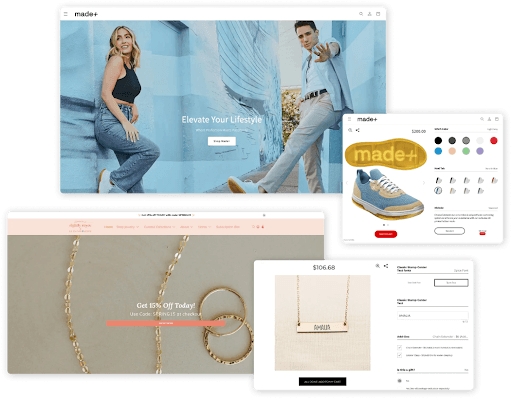
Kickflip's theme editor gives you full control over how your configurator looks and feels. You can customize every visual element to match your brand identity.
Here are a few examples of how Kickflip lets you create on-brand configurators with a CPQ component
What mistakes do eCommerce brands make while choosing a CPQ software?
Here are a few mistakes we’ve seen eCommerce brands make in the past:
Choosing enterprise CPQ when you only need ecommerce CPQ
Anywhere you look, you’ll find that Salesforce and Oracle are recommended for CPQ workflows. And for good reason. They’re well established and work well for complex use cases.
The problem is that most ecommerce brands don't need any of that.
When you choose an enterprise CPQ tool for an ecommerce use case, you end up paying for features you'll never use. And you’ll continue struggling to adapt to something that wasn’t made for you in the first place.
For instance, you can expect to:
Invest time and resources to keep up with maintenance
Take weeks to implement the solution
Spend thousands of dollars to build better workflows
Before evaluating any CPQ solution, ask yourself: is it designed for sales reps or for an eCommerce brand? Use that to guide the buying process.
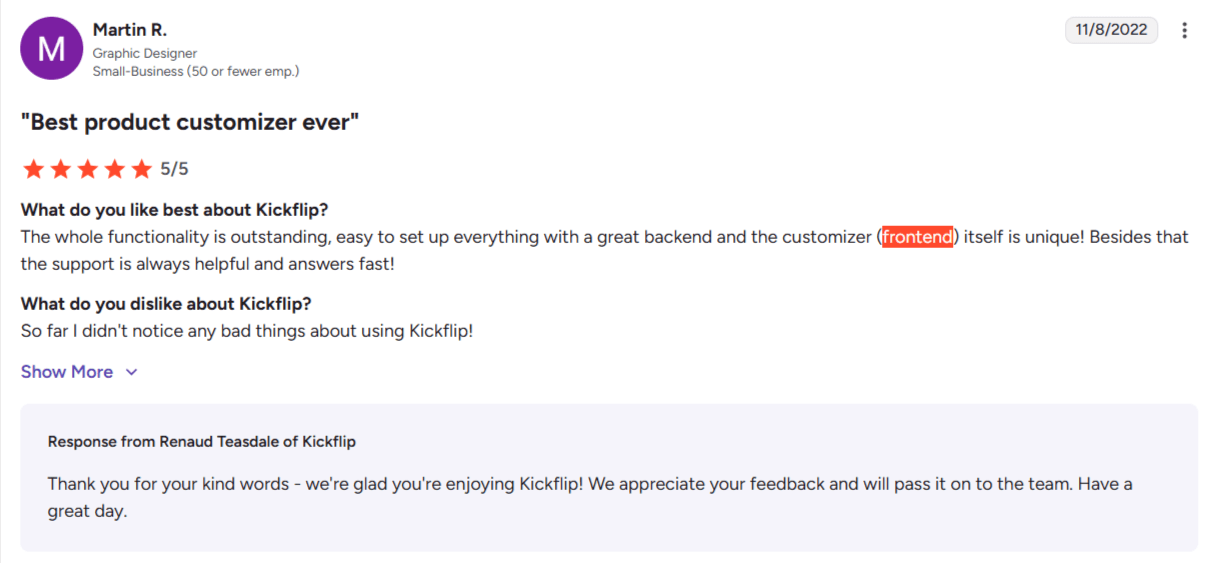
Ignoring frontend UX
It's tempting to focus on backend capabilities when you're evaluating CPQ software. They do matter, but they’re invisible to the people who actually determine whether your investment pays off: your customers.
Your customers don't care how sophisticated your pricing equations are. They care whether the configurator:
Loads fast so that they can try it immediately
Looks on-brand and professional and m
Makes it easy to build exactly what they want
So, spend time testing whether the customer-facing experience matches the backend.
Underestimating setup time and maintenance
Vendors love to promise quick implementation, but the reality often looks different. For instance, it takes an average of 5 months to implement Salesforce CPQ and 6 months to implement Oracle CPQ.
Before committing, get specific answers to these questions:
How long does it realistically take to set up your first configurable product?
What happens when you need to update pricing or add new options?
Do you need developer resources for ongoing changes, or can your team handle it?
How flexible is the CPQ software when you need more fields or capabilities?
If every little change requires a developer or a support ticket, the long-term cost of ownership isn’t worth it.
👀 Tip: Kickflip offers a no-code builder with unlimited variants and SKUs. So, you can handle everything from product customization to CPQ workflows on your own.
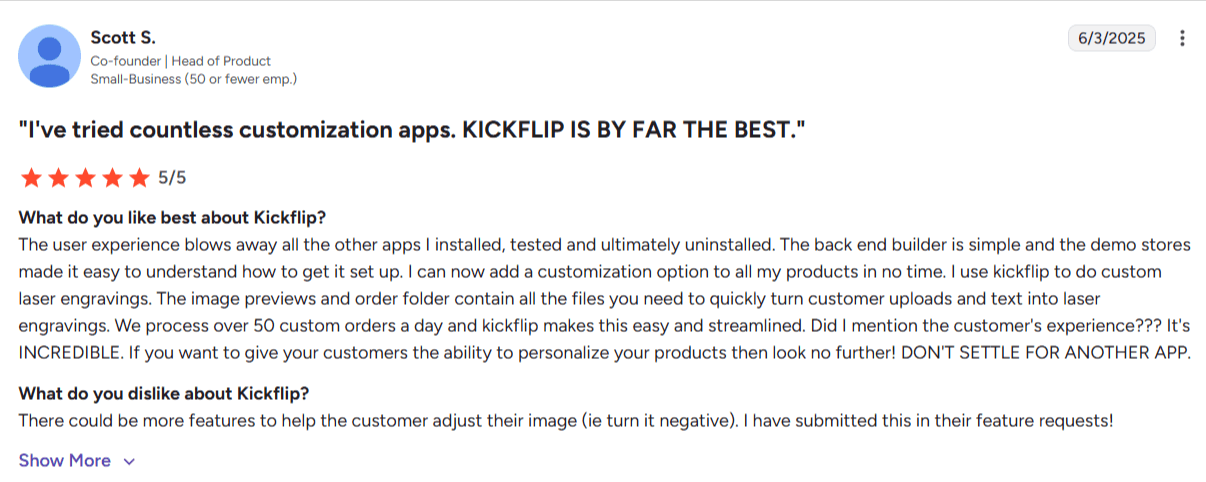
Why you should choose Kickflip as your CPQ software
You no longer have to default to traditional enterprise options for CPQ workflows. Now, you have platforms like Kickflip that give you complete ownership of your fulfillment process.
Here's what that looks like in practice:
Launch in weeks, not months: The no-code product builder lets you create configurable products without developers. As a result, you start selling faster than your competitors.
Give customers a premium experience: You get real-time visualization, instant pricing updates, and a mobile-first interface that matches your brand. Shoppers see exactly what they're buying and convert with confidence.
Scale without friction: You can add unlimited variants and advanced logic rules so your CPQ capabilities grow with your product catalog.
Keep operations running smoothly: As orders come in, you receive print-ready files and clean order data that your fulfillment team can use to build exactly what your customers requested.
Do you want to experience the Kickflip difference yourself? Start your free trial and assess if it’s the right platform for your business.
Frequently asked questions
1. What is CPQ software?
CPQ stands for Configure, Price, Quote. It's software that helps businesses manage complex product configurations and calculate accurate pricing based on selected options. In eCommerce, CPQ typically refers to product configurators with built-in pricing logic and quoting capabilities.
2. What's the difference between enterprise CPQ and ecommerce CPQ?
Enterprise CPQ tools like Salesforce CPQ are designed for B2B sales teams managing long sales cycles. Ecommerce CPQ is built for self-serve customers who configure products themselves and expect real-time pricing and visualization.
3. Do I need CPQ software if I'm already using a product configurator?
It depends on what your configurator can do. If it handles visual configuration but lacks dynamic pricing rules, quoting workflows, or advanced logic, you'll need CPQ software like Kickflip to handle it.
4. How long does it take to implement ecommerce CPQ software?
With no-code platforms like Kickflip, you can launch your first configurable product in days or weeks rather than months. The exact timeline depends on your product's complexity and the number of customization options you need to set up.
5. Can CPQ software integrate with my Shopify or WooCommerce store?
Yes, but the integration quality varies. Some CPQ tools require complex custom development, while others offer native integrations. Kickflip integrates directly with Shopify, WooCommerce, and Wix out of the box.
Future reading
7 Best CPQ Software For Small Businesses in 2026
Kickflip’s Newest Feature: CPQ is Here!
What Is CPQ Software? Configure, Price, Quote for Ecommerce
Share This article

Written by The Kickflip Team
February 27th, 2026
The Kickflip team is made up of ecommerce specialists, product experts, and engineers behind Kickflip, a product configurator platform for Shopify, WooCommerce, and Wix. Since 2010, we’ve helped thousands of brands scale personalized product experiences, from startups to Fortune 500 companies. On our blog, we share practical insights to help you improve the buying experience and grow your business with product customization.


Maarten Luyckx
Osaka World
The user-friendly interface of Kickflip, combined with excellent customer service, ensured that this project was brought to a successful and beautiful conclusion.
Shopify App Store
May 20, 2021

Marie-Laetitia Rossazza
My Dust Bag
It took me a long time to find the perfect customizer app, and I’m so happy to say that I finally did! Kickflip is truly the best app on the market. The front end and back end are excellent, and the team behind it is incredibly kind and helpful!
Shopify App Store
September 1, 2023

Brad Jurga
All-Star Sporting Goods
Kickflip made everything easy, from designing the builder all the way through launch. We’re designing truly custom equipment for elite baseball players and this platform allows us to have better engagement and excitement around our brand. We’re seeing an instant return.
Shopify App Store
June 16, 2025

Kasper Taylor
CodedInk
My experience with both the product and the support team has been fantastic. The user interface and user experience are excellent. The features are powerful, and the WooCommerce integration is seamless and easy to set up.
G2.com
June 16, 2025

Saber Naceur
Vinylacy
By far, and I truly mean it, the best customizer available on Shopify. It’s easy to understand and manage, offers options for all types of products, and works extremely well. On top of that, it looks beautiful and feels premium. Highly recommended.
Shopify App Store
December 17, 2022

Jesus Guillermo de León Pérez
Dismo
Kickflip is a fantastic tool. It’s super intuitive, easy to use, and packed with capabilities. You don’t have to be an expert or have experience with other products to get started. The support team is also great and very responsive.
Shopify App Store
July 10, 2024

Frieder Urban
Era of Arc
We were looking for an uncomplicated configurator that was quick and easy to set up, offered plenty of design options, and worked reliably with fast loading times. We tested many configurators on the market, and with Kickflip, we found exactly what we needed.
Shopify App Store
October 10, 2024

John Taggart
Jack Harry and Ollie
What a great addition to our business Kickflip has been. It’s been fantastic to offer our customers the ability to personalize their orders. The support has been excellent, and we especially love that the pricing is tied to our success as customers make purchases.
Shopify App Store
May 7, 2021

TJ Garske
The Net Return
Kickflip saves our team a ton of time by eliminating the need to create custom mockups for customers. Customers can build their product themselves and place an order instantly, without any back-and-forth.
G2.com
January 26, 2026

Amin Hasani
CURVD
After extensive research into product customizer tools, we chose Kickflip for many reasons. We don’t like complicating simple tasks for customers, and Kickflip helped us simplify the process and create a seamless customer experience.
Shopify App Store
July 29, 2025