Custom Hoodie Design Ideas: 36 Trends to Boost Sales
Written by Marie Lamonde
October 6th, 2026
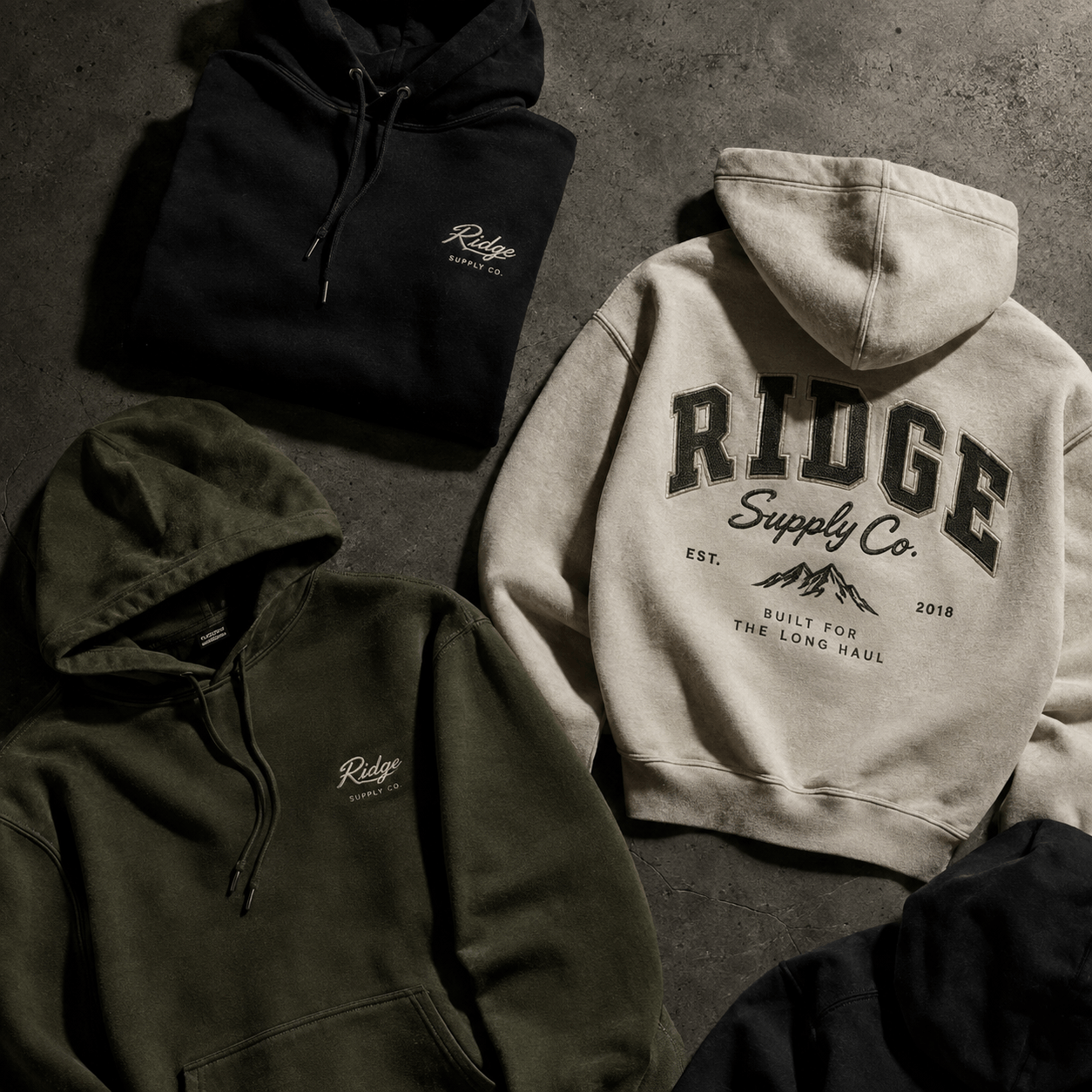
Table Of Contents
What makes a custom hoodie design sell?
The custom hoodies that sell best combine a current trend (minimal embroidery, vintage type, bold back graphics, color-blocking) with a design the customer helped create. Letting buyers personalize specific zones, like the sleeves, hood or chest, and see the result live on the product page removes the guesswork that causes hesitation and returns.
Below you'll find 36 hoodie design ideas grouped by style, 15 practical design rules, and how to sell personalized hoodies online without manual back-and-forth on every order.
Why custom hoodies are winning in ecommerce
The old apparel model is simple: stock inventory, photograph it, list it, and hope it sells. Streetwear and custom apparel brands are moving to on-demand, personalized production instead.
The math is easy to follow:
No overstock. You only produce what has already sold.
Higher prices. Customers pay more for something they helped design.
Less competition on price. A one-of-a-kind hoodie can't be compared line for line with a competitor's.
The hoodie and sweatshirt market is projected to reach $442.64 billion by 2034. Much of that growth goes to brands that offer something buyers can't find pre-made on a shelf.
The weak point for most stores is the product page. A buyer arrives with a clear idea, sees one fixed photo, and either settles or leaves. A visual product customizer turns that page into a design studio, so the customer's idea becomes the product they buy.
Start with your audience
A hoodie designed for everyone appeals to no one. A luxury streetwear buyer and a tech startup ordering team swag want very different things, so pick your niche before you pick your trends.
Tip: For corporate hoodies, ask yourself whether an employee would wear it on a Saturday. If it looks like a uniform, it stays in the closet.
36 custom hoodie design ideas for 2026
Minimalist and typography
 Minimal designs look premium and cost less to produce: fewer stitches and less ink mean lower costs per unit at the same or higher price. They also suit almost every audience, from streetwear to corporate. To make them work, pick one strong element, give it plenty of empty space, and spend your effort on the font and the placement. With typography, the font does all the work, so offer customers a short list of styles that fit your brand.
1. Off-center line art. A single-line drawing placed slightly off-center on the chest looks considered, not generic.
2. Micro logo at the wrist. A tiny stitched logo on the cuff is a quiet designer-label signal.
3. Retro varsity lettering. Collegiate arched type on the chest never really goes out of style.
4. Y2K bubble fonts. Rounded, puffy letterforms play well with younger streetwear buyers.
5. Tone-on-tone print. Ink one shade darker or lighter than the fabric reads premium and keeps costs low.
6. Back-of-neck wordmark. A short word just below the hood seam is subtle and highly photographable.
Bold graphics and streetwear
 Bold graphics are how streetwear brands get noticed on social media and on the street. A large back print or a sleeve run turns a plain hoodie into a statement piece buyers want to show off. The artwork has to earn that space, so start with high-resolution vector files and plan the layout zone by zone: one hero graphic, with smaller supporting details on the front, sleeves or hood.
7. Small front, big back. Pair a clean chest logo with a large back graphic to give the hoodie a front-and-back story.
8. Custom mascot. A hand-drawn character on the back panel makes your brand instantly recognizable.
9. Sleeve runs. Repeat a word or pattern down one or both sleeves.
10. Wraparound graphic. Let artwork wrap from the front torso around the side.
11. Hood print. Put a graphic or slogan on the hood itself, visible from behind when it's up.
12. Pocket overlay. Place a small graphic or phrase right on the kangaroo pocket.
Techwear and texture
 Techwear and texture effects attract buyers aged 18 to 30 and look great in photos and short videos. They help you stand out without relying on a big graphic: a reflective or puff print adds interest you can feel and see. Start with a dark, muted base color, add one accent, and check with your print partner which specialty inks and finishes they can actually produce before you offer them.
13. Glitch art. Distorted, pixel-shifted graphics fit the techwear and gaming crowd.
14. Dark base, neon accent. Matte black, charcoal or olive with one pop of electric green or purple.
15. Industrial typography. Condensed, technical-looking fonts with codes, coordinates or serial numbers.
16. Reflective print. Looks plain by day and lights up under a flash, which is great for social content.
17. Puff print. Raised ink adds texture without the cost of embroidery.
18. Vintage wash. Faded or acid-washed blanks make new graphics look lived-in.
Embroidery
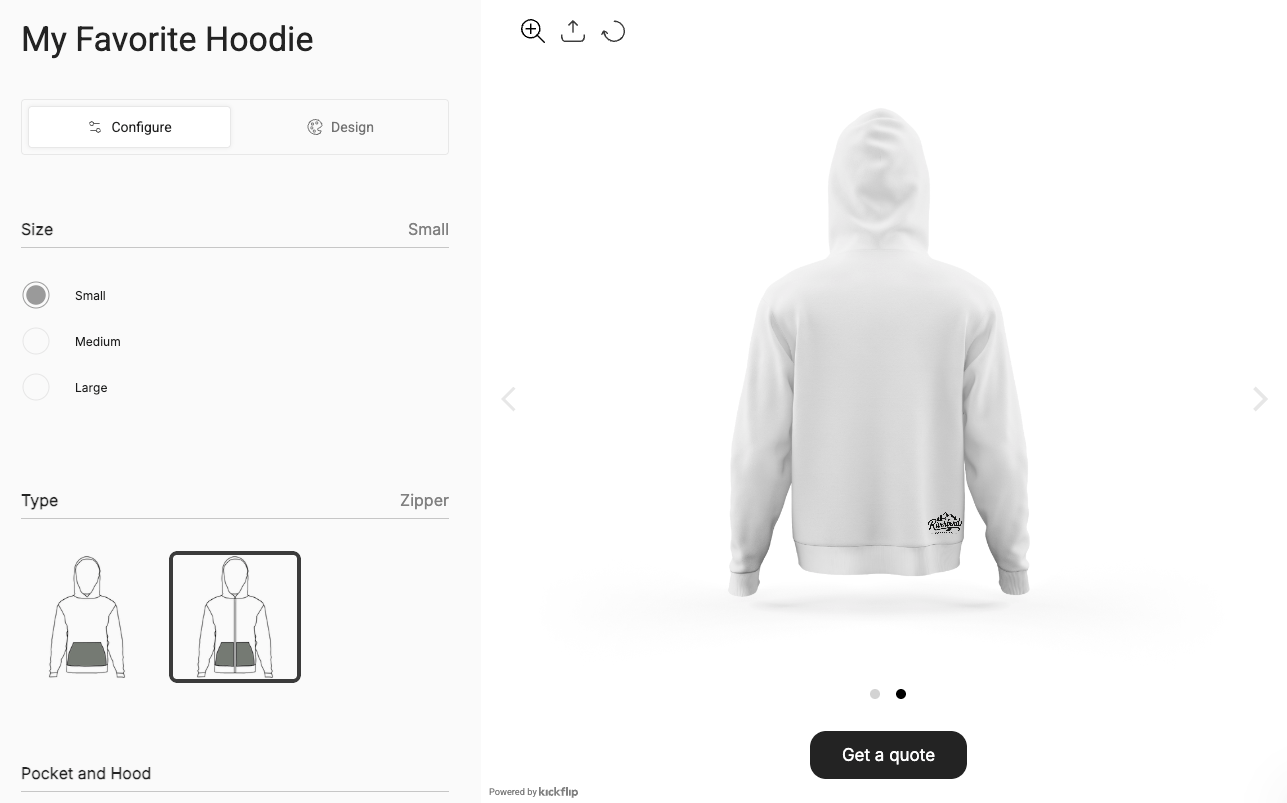 Embroidery feels more premium than print. Customers can see and feel the texture, it survives hundreds of washes, and buyers expect to pay more for it. The trade-off is that thread is less forgiving than ink. Keep designs simple and bold, use embroidery-safe fonts, and work with a professional digitizer. Offering embroidery as a paid upgrade on a small zone, like the chest or cuff, is an easy way to raise order value.
19. High-density puff embroidery. Raised 3D stitching signals quality at a glance.
20. Tonal embroidery on heavyweight fleece. Same-color thread on a thick blank can support a premium price.
21. Initials on the cuff. Small, personal and a strong option for gifts and couples' sets.
22. Stitched hood edge. A wordmark along the top of the hood is visible when the hood is down.
23. Chenille patches. Fuzzy varsity-style letters pair perfectly with collegiate designs.
24. Hip or hem detail. A tiny embroidered symbol near the bottom hem is an unexpected brand moment.
Zip-up hoodies
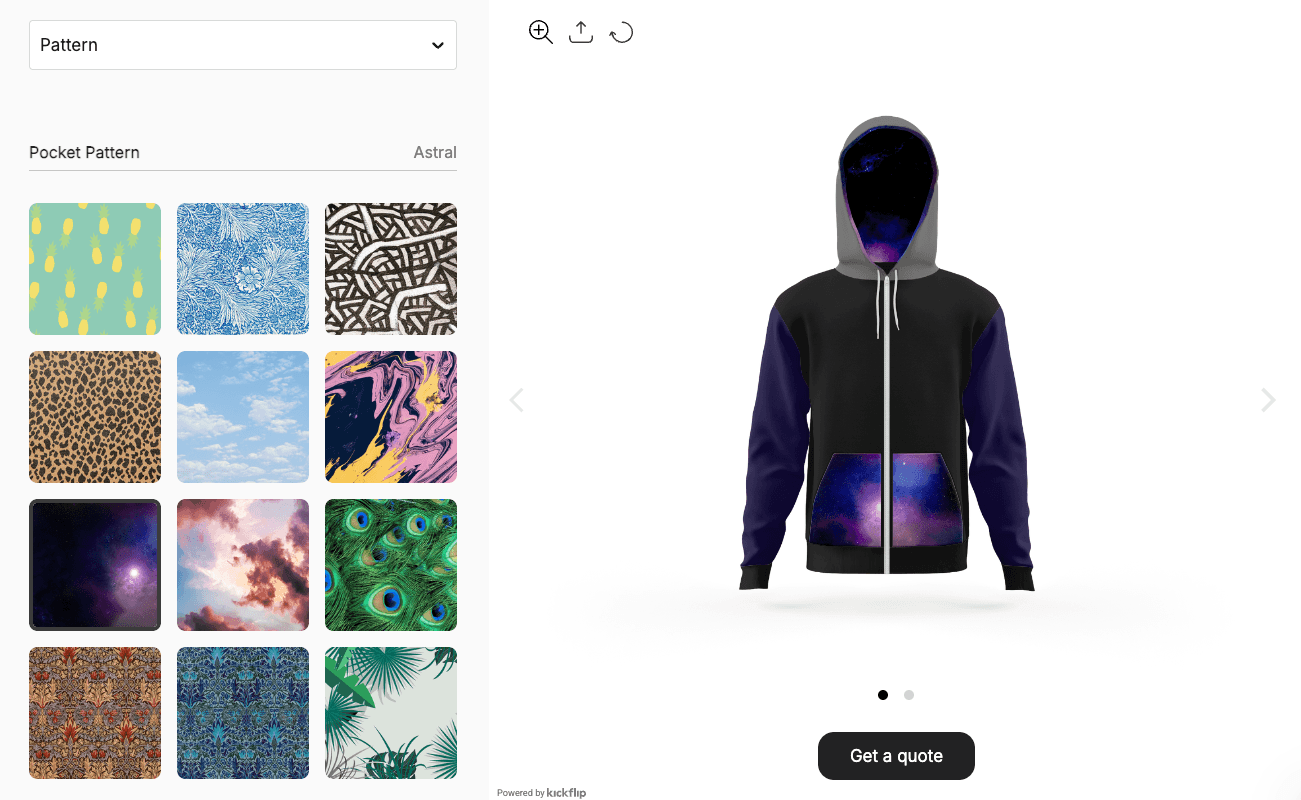 The zipper splits the front of a zip-up in two, so you need a different layout strategy. The upside is that zip-ups have natural zones (two front panels, sleeves, hood, pocket and zipper) that are perfect for color and detail choices. Treat each front panel as its own canvas, move big graphics to the back and sleeves, and let customers customize hardware and trim for a hoodie that feels made to order.
25. Split-panel layout. Logo on the left chest, a complementary text or graphic on the right.
26. Vertical sleeve wordmark. Runs down the sleeve and balances a small chest logo.
27. Low back graphic. Keep it low enough to stay visible when the hood is down.
28. Contrast zipper. A different zipper color is a simple, low-cost customization.
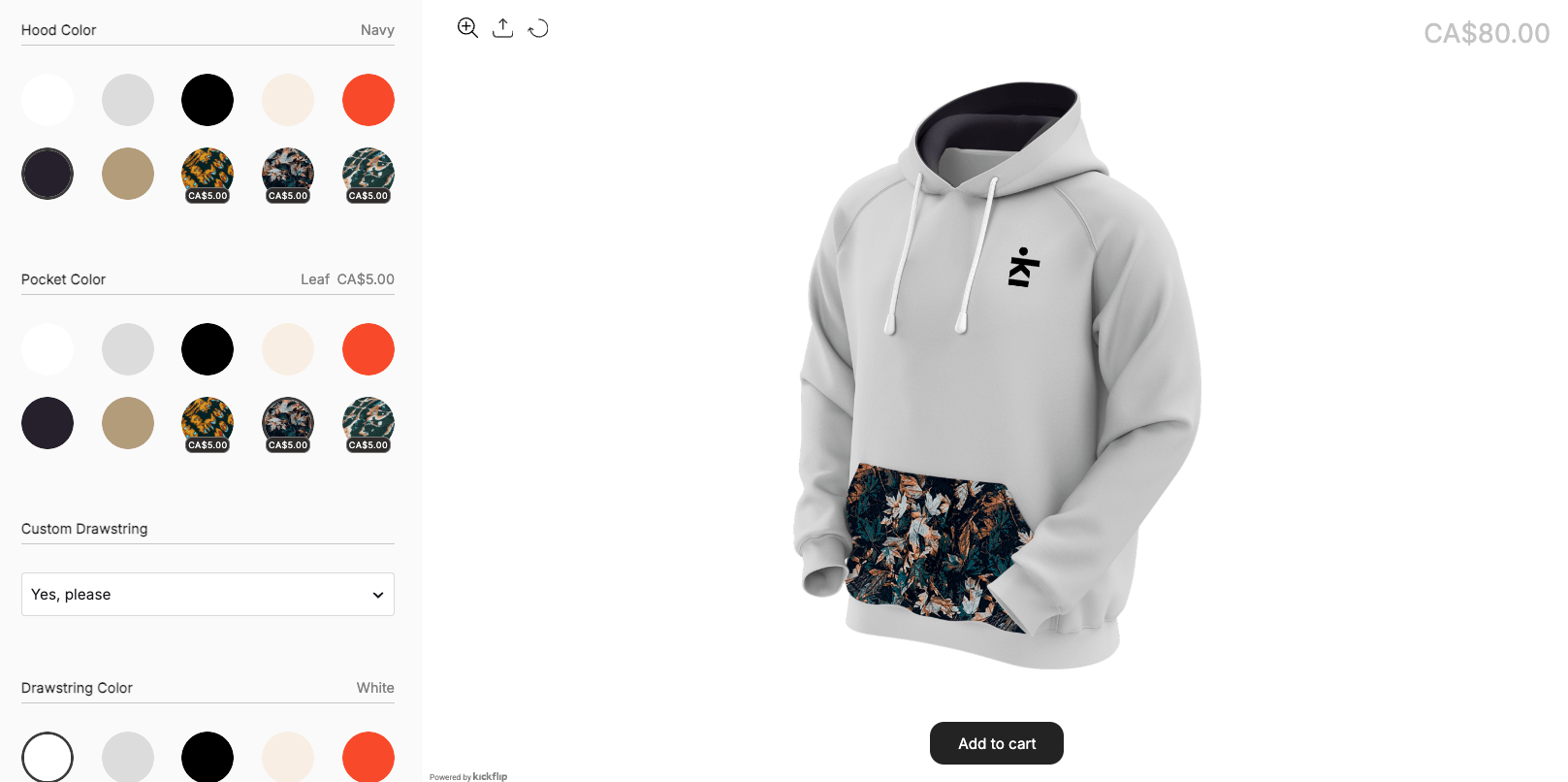
29. Contrast drawstrings and hood lining. Small color details that make a basic zip-up feel custom.
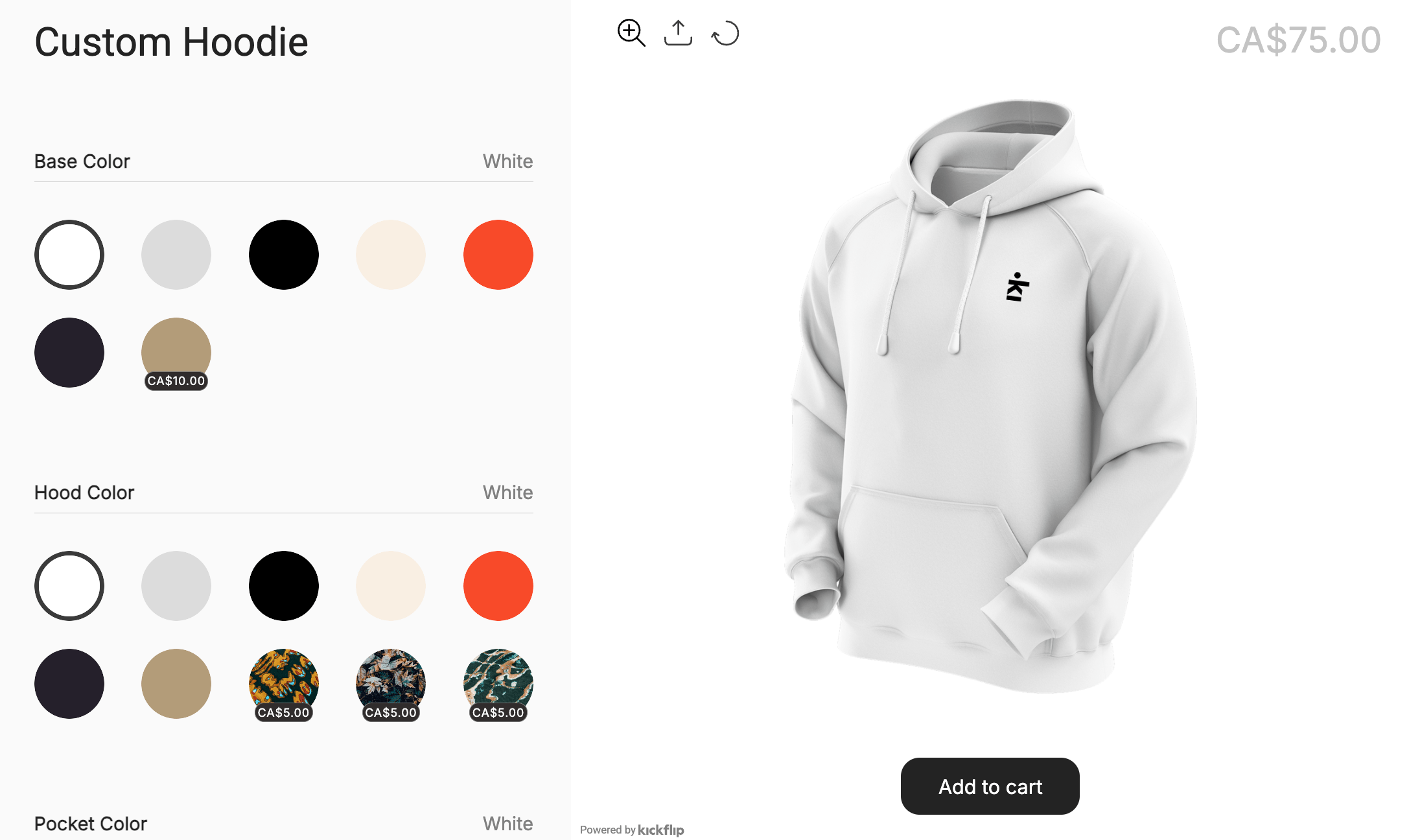
30. Multi-panel color-blocking. Let customers pick a different color for the sleeves, body, hood and pocket.
Personalization ideas customers love
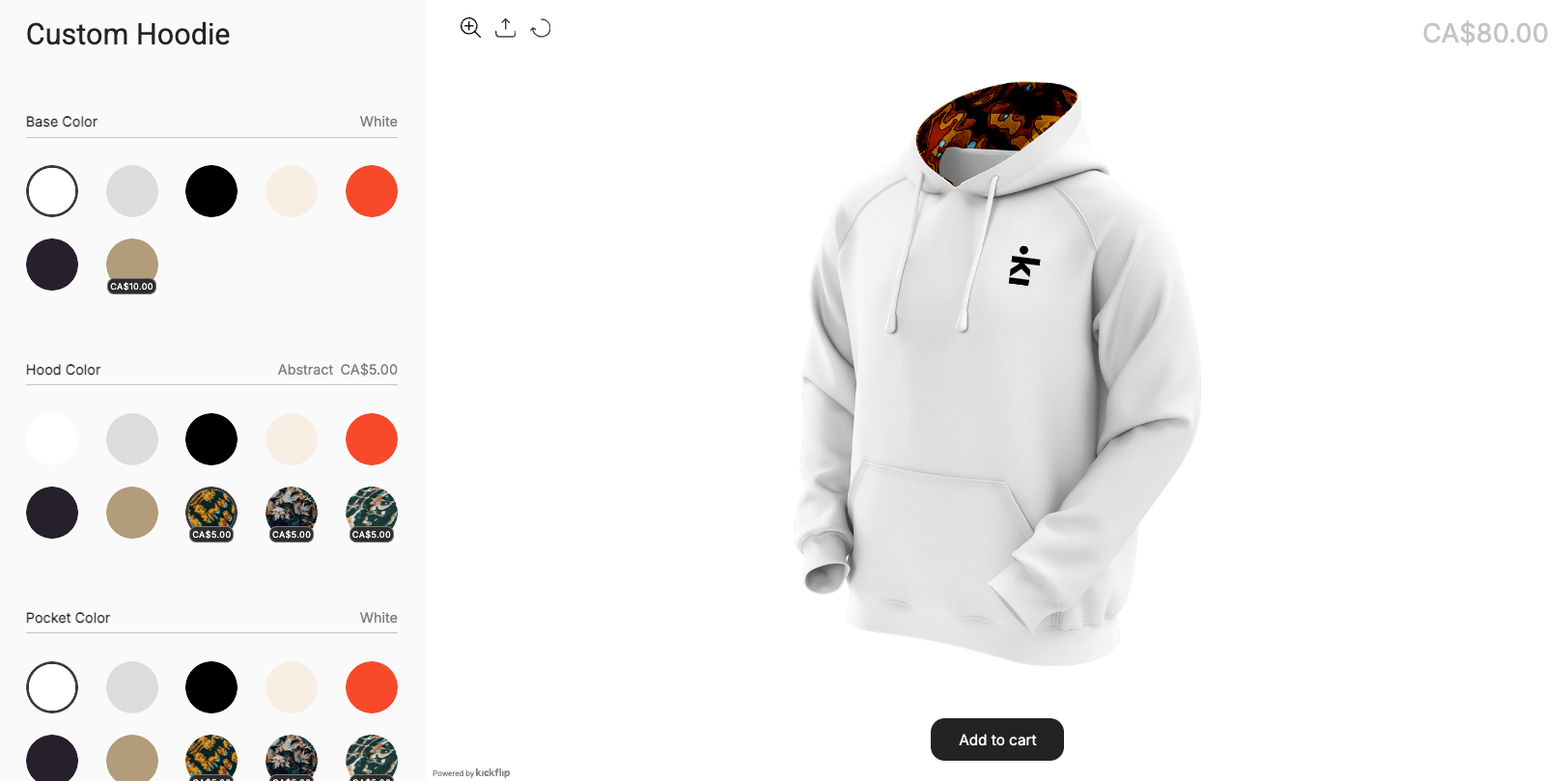 Personalization turns a hoodie into a gift, a team uniform or a keepsake, and these are the purchases people are happy to pay more for. The key is making it easy: set fixed text zones with a character limit, offer a few curated fonts, and let customers upload artwork for logos and photos. A live preview on the product page shows buyers exactly what they'll get, which builds confidence and cuts down on back-and-forth emails.
31. Names and initials. The simplest personalization and still one of the best sellers.
32. Team names and numbers. Back name plus a sleeve number for sports teams and clubs.
33. Dates and coordinates. Graduation years, trip dates or the coordinates of a meaningful place.
34. Upload your own logo. Lets companies, clubs and small brands order branded hoodies on their own.
35. Matching sets. Couples, family or friend-group hoodies with coordinated text.
36. Photo or pet portrait. A customer-uploaded photo turned into a print is a top gift idea. See more custom gift ideas.
15 design rules for hoodies that print well and sell
Good ideas still fail in production. These rules keep your designs sharp, durable and easy to fulfill.
Artwork and files
Use print-quality files. At least 300 DPI, saved as vector (SVG, EPS) or a high-quality transparent PNG.
Design for the biggest size first. A back graphic that looks fine on screen can pixelate at full scale.
Check contrast. Light ink on light fabric (or dark on dark) disappears in real life, even if the mockup looks fine.
Placement
Respect the hood. Keep chest graphics 3–4 inches below the collar seam so the hood doesn't hide them.
Stay above the pocket. Leave about 2 inches between the graphic and the kangaroo pocket line.
Avoid seams and hardware. Graphics over seams or zippers crack, distort or misalign after washing.
Think front-and-back. One focal point per side keeps the design from looking cluttered.
Embroidery
Skip thin scripts. Delicate fonts collapse at small stitch sizes. Choose bold letters with open counters.
Simplify artwork. Gradients, thin lines and photo detail don't translate to thread. Use solid shapes and clear outlines.
Pay for good digitizing. Converting art to a stitch file (DST or PES) is a skill. Cheap digitizing causes puckering and broken thread.
Zip-ups
Treat each front panel separately. Continuous designs across the zipper are hard to align and show every error.
Vet over-zipper printing. Only offer it if your printer has proven experience with the technique.
Avoiding choice overload
Offer 8–10 colorways, not 40. Too many options make buyers stall and leave.
Curate 5–6 fonts. Choose fonts that match your brand and embroider cleanly, so every result looks intentional.
Use smart defaults. Start customers from a finished design they can tweak, instead of a blank hoodie. Learn more about guided product configuration.
Why personalization sells more hoodies
Co-creation builds attachment. When customers make design choices, even within limits, they feel ownership before they buy. It's the IKEA effect, applied to apparel.
Seeing it reduces returns. Apparel returns are often driven by color and fit surprises: the buyer pictured something different from what arrived. A live preview of the exact colors, text and placement closes that gap. [Add sourced stat on return rates.]
Personalized products support higher prices. A customer who designed their own hoodie isn't comparing your price with a competitor's, because the product doesn't exist anywhere else. [Add sourced stat on price premium.]
Automation prevents costly mistakes. Collecting designs by email means someone has to interpret each order, and one misread sleeve color across a batch of 200 hoodies is an expensive reprint. An ecommerce configurator captures the exact specs with the order.
Selling custom hoodies with Kickflip
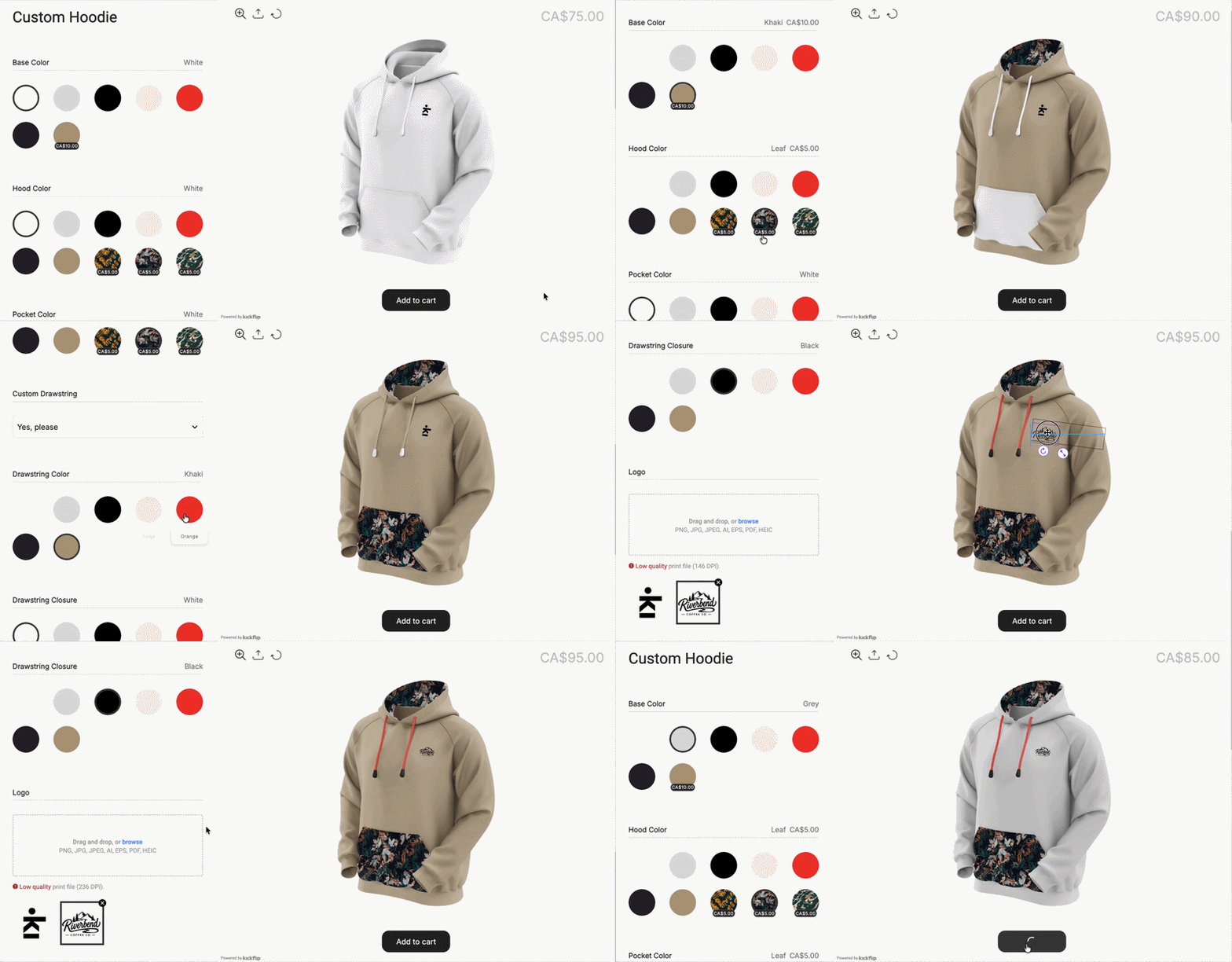 Kickflip is a product configurator that adds a live hoodie designer to your product page. Customers pick colors, add text, upload logos and see their design update in real time before they add it to the cart.
What you can set up for a custom hoodie:
Zone-by-zone colors. Body, sleeves, hood, pocket and drawstrings, each as its own choice.
Text personalization. Upload your own fonts and set max length, size and placement.
Logo and image upload. Customers add their own artwork for team, company or gift orders.
Starting points. Pre-made designs customers can tweak, so nobody faces a blank hoodie.
Real-time pricing. The price updates as customers add options like embroidery or extra print zones.
Order summary. Customers review every choice before checkout, and those details follow the order.
Print-ready files. Kickflip can generate print-ready PDFs from customer designs, with your print-area size, DPI, bleed and safe area.
Kickflip has plugins for Shopify, WooCommerce and Wix, and works with custom-built stores through an iframe integration. Compared with building a configurator in-house, which can take months of development, you can launch in days. See how it stacks up in our roundup of the best product configurator software.
Launch your custom hoodie line
A strong custom apparel launch needs two things: designs grounded in what your audience wants, and a buying experience that lets customers make those designs their own.
Your launch checklist:
Define your niche.
Pick 2–3 design directions from the list above.
Curate your colors and fonts.
Choose a production partner who can handle your techniques (embroidery, puff print, multi-zone).
Add a live customizer to your product page.
Ready to turn your hoodies into a design studio? Start your free Kickflip trial and build your first custom hoodie.
FAQ
What is the best design for a hoodie?
It depends on your audience. Minimal left-chest embroidery, retro varsity type and multi-panel color-blocking sell well across many niches. Streetwear brands chasing social visibility do well with bold back graphics and sleeve prints.
How can I design my own hoodies?
Create your artwork in a tool like Adobe Illustrator, Canva or Procreate, then send it to your print or embroidery partner. To let your customers design their own hoodies, add a product configurator like Kickflip to your online store.
What is the best app to design hoodies?
Adobe Illustrator is the standard for vector artwork and works well for embroidery digitizing. Canva is easier for beginners who need simple layouts and type. For customer-facing design on your product page, use a product customizer like Kickflip.
What file format do I need to print a hoodie?
Use vector files (SVG, EPS, AI) or a transparent PNG at 300 DPI or more. Embroidery needs an extra step: your art is digitized into a stitch file such as DST or PES.
Where should I place a logo on a hoodie?
Left chest is the classic spot. For a more designer look, try center chest just below the collar, the back of the neck, the forearm or the hood. Keep chest designs 3–4 inches below the collar seam.
Future reading
How to sell custom t-shirts on Shopify: the step-by-step guide to high-margin customization
Best Print on Demand App for Shopify: 2026 Comparison Guide
Guide to Print Ready Files
Share This article

Written by Marie Lamonde
October 6th, 2026
Marie Lamonde is a Content Marketing Manager at Kickflip with 8 years of experience writing about digital marketing, SaaS, and ecommerce. She specializes in creating clear, search-driven content that attracts, engages, and converts.


Maarten Luyckx
Osaka World
The user-friendly interface of Kickflip, combined with excellent customer service, ensured that this project was brought to a successful and beautiful conclusion.
Shopify App Store
May 20, 2021

Marie-Laetitia Rossazza
My Dust Bag
It took me a long time to find the perfect customizer app, and I’m so happy to say that I finally did! Kickflip is truly the best app on the market. The front end and back end are excellent, and the team behind it is incredibly kind and helpful!
Shopify App Store
September 1, 2023

Brad Jurga
All-Star Sporting Goods
Kickflip made everything easy, from designing the builder all the way through launch. We’re designing truly custom equipment for elite baseball players and this platform allows us to have better engagement and excitement around our brand. We’re seeing an instant return.
Shopify App Store
June 16, 2025

Kasper Taylor
CodedInk
My experience with both the product and the support team has been fantastic. The user interface and user experience are excellent. The features are powerful, and the WooCommerce integration is seamless and easy to set up.
G2.com
June 16, 2025

Saber Naceur
Vinylacy
By far, and I truly mean it, the best customizer available on Shopify. It’s easy to understand and manage, offers options for all types of products, and works extremely well. On top of that, it looks beautiful and feels premium. Highly recommended.
Shopify App Store
December 17, 2022

Jesus Guillermo de León Pérez
Dismo
Kickflip is a fantastic tool. It’s super intuitive, easy to use, and packed with capabilities. You don’t have to be an expert or have experience with other products to get started. The support team is also great and very responsive.
Shopify App Store
July 10, 2024

Frieder Urban
Era of Arc
We were looking for an uncomplicated configurator that was quick and easy to set up, offered plenty of design options, and worked reliably with fast loading times. We tested many configurators on the market, and with Kickflip, we found exactly what we needed.
Shopify App Store
October 10, 2024

John Taggart
Jack Harry and Ollie
What a great addition to our business Kickflip has been. It’s been fantastic to offer our customers the ability to personalize their orders. The support has been excellent, and we especially love that the pricing is tied to our success as customers make purchases.
Shopify App Store
May 7, 2021

TJ Garske
The Net Return
Kickflip saves our team a ton of time by eliminating the need to create custom mockups for customers. Customers can build their product themselves and place an order instantly, without any back-and-forth.
G2.com
January 26, 2026

Amin Hasani
CURVD
After extensive research into product customizer tools, we chose Kickflip for many reasons. We don’t like complicating simple tasks for customers, and Kickflip helped us simplify the process and create a seamless customer experience.
Shopify App Store
July 29, 2025