Top 13 eCommerce Apps to Build a High Converting Store in 2026
Written by Marie Lamonde
March 10th, 2026

Table Of Contents
- What Makes an eCommerce App "Essential" in 2026
- Storefront Foundation: Your eCommerce Platform
- Product Customization
- Reviews and Social Proof Apps
- Marketing Automation Apps
- Analytics and Reporting Apps
- Customer Service and Help Desk Apps
- Inventory Management and Shipping Apps
- Payment Processing Apps
- Putting It All Together: Your Essential eCommerce App Stack
- Transform Your Store's Customer Experience
- Frequently Asked Questions
Looking to build a store that actually converts visitors into customers?
You're in the right place.
Here's the truth. Most online stores fail because they're either running on bare-bones setups or drowning in a sea of random plugins that slow everything down.
I've seen stores with 50+ apps installed that can barely load in under 10 seconds. And I've seen others with just the basics that miss out on thousands in revenue because they can't capture emails or show social proof.
The secret? A lean, strategic app stack that covers the essentials without the bloat.
In this guide, I'm sharing the 13 most essential eCommerce apps that actually move the needle. These aren't random tools I found in an app store. These are battle-tested solutions that top-performing stores use to create seamless customer experiences from discovery to delivery. This isn't just another list of the best Shopify eCommerce apps; it's a strategic framework.
Here's how this works. I've organized these apps by business function, not just thrown together a random list. Each app solves a specific bottleneck in your customer journey. And I've used strict criteria: revenue impact, ease of use, integration quality, reliability, and real social proof from thousands of merchants.
Whether you're on Shopify, WooCommerce, or Wix, these apps will transform how your customers experience your store. Let's dive in.
What Makes an eCommerce App "Essential" in 2026
Not all eCommerce apps are created equal.
Some promise the world but deliver headaches. Others quietly work in the background, driving real results. As experts from Adobe Business note, the right apps solve specific problems while enhancing the customer experience.
So how do you separate the game-changers from the time-wasters?
Core Evaluation Criteria
Every app in this guide meets five strict criteria:
1- Conversion and Revenue Impact
Does it directly increase sales, average order value, or customer lifetime value? If an app doesn't move these metrics, it doesn't make the cut.
2- Customer Experience Impact
Does it make shopping easier, faster, or more engaging? According to FastSimon, an optimized experience is paramount. Apps that create friction get the boot.
3- Ease of Setup
Can a non-technical team member install and configure it without calling in developers? Complex setups kill momentum.
4- Integration Quality
How well does it play with Shopify, WooCommerce, and Wix? Plus the other apps in your stack? Poor integrations create data silos.
5- Social Proof
What do real merchants say? I'm talking thousands of reviews, case studies, and install numbers that prove reliability.
How Many Apps You Really Need
Here's a reality check. Most successful stores run on 8-15 apps total.
That's it.
Building a focused app stack is key to efficiency and growth.
Any more and you risk:
Slower page load speeds
Higher monthly costs
Integration nightmares
Team confusion
The sweet spot? One core app per major function: platform, personalization, reviews, email, analytics, support, fulfillment, and payments.
Thinking System-First
The best eCommerce stacks work as a single system, not a collection of random tools.
Each app should either:
Solve a specific bottleneck in your customer journey
Feed data to other apps for better targeting
Automate manual tasks that slow your team down
If an app doesn't check one of these boxes, skip it.
Storefront Foundation: Your eCommerce Platform
Before we dive into apps, let's talk about the foundation everything sits on.
Shopify: The App Ecosystem Leader
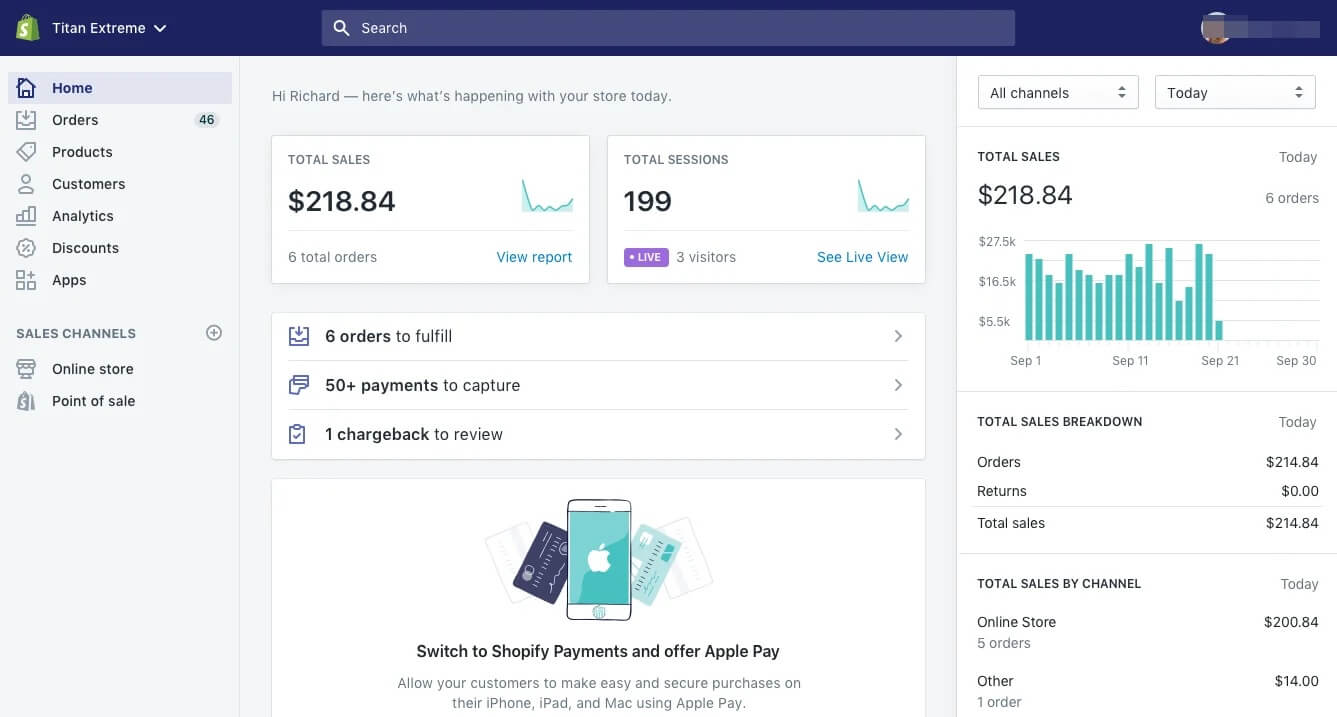
Shopify dominates the app conversation for good reason.
It's not just a platform. It's an ecosystem. With over 8,000 apps in their store, Shopify offers the deepest integrations and most developer support.
Key Strengths:
Native app integration (apps appear right in your admin)
Automatic updates and security patches
Built-in payment processing and fraud protection
Enterprise-level scalability
Best For: Brands that want plug-and-play simplicity with room to scale.
Not Ideal For: Stores that need heavy customization or want to avoid transaction fees.
WooCommerce and Wix: Flexible Alternatives
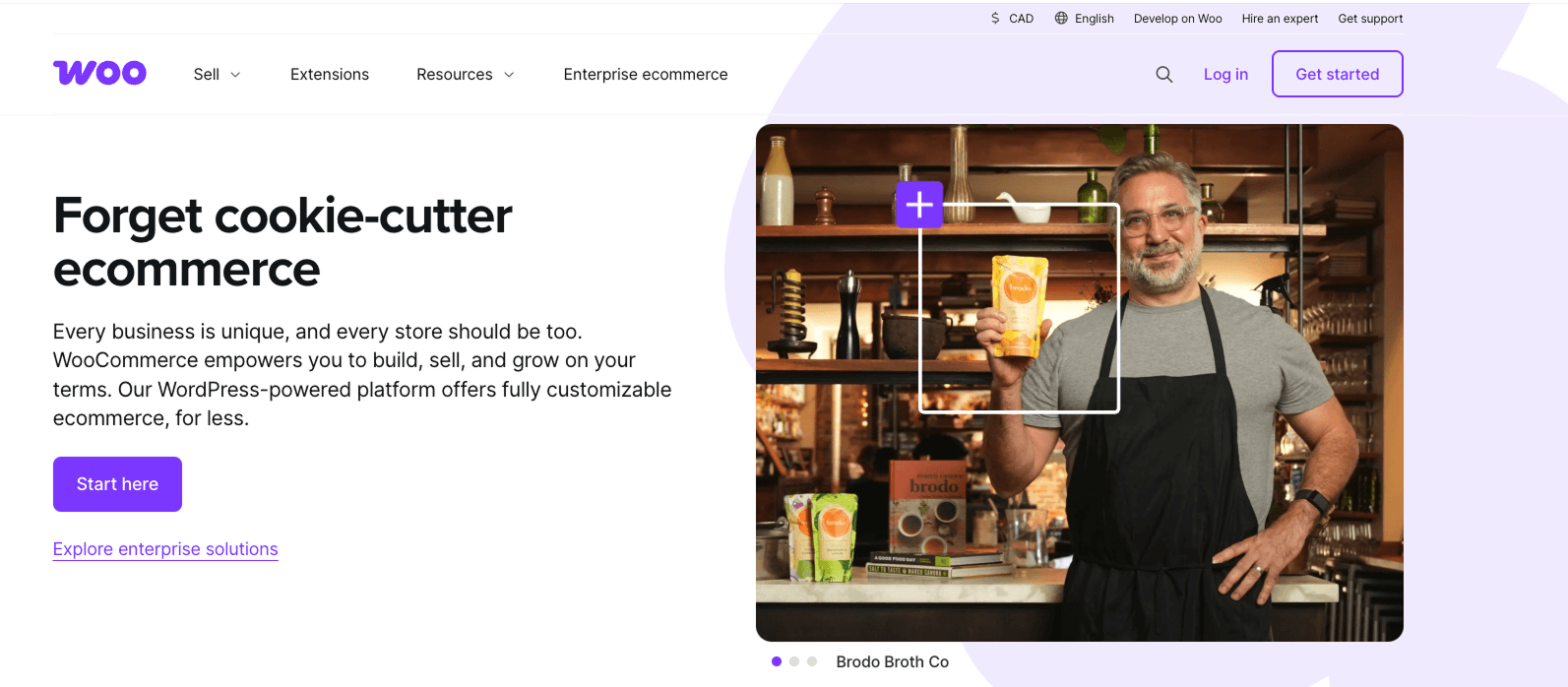
WooCommerce gives you complete control over your store's code and hosting. It's free, highly customizable, and works with thousands of WordPress plugins.
Wix offers drag-and-drop simplicity with built-in hosting and a decent app ecosystem. It works well for smaller stores that want professional results without technical complexity.
The good news? Most of the apps in this guide work across all three platforms.
How Platform Choice Affects Your App Stack
Here's what to check before installing any app:
Integration Depth: Shopify apps typically offer the deepest native integration
Data Sync: Make sure customer and order data flows seamlessly
Performance Impact: Test how each app affects your site speed
Need help choosing between platforms for custom products? Check out this guide on Shopify, WooCommerce, or Wix for customizable stores.
Product Customization

Here's where most stores leave money on the table.
They show the same generic product pages to everyone. No personalization. No customization options. Just static images and basic descriptions.
Big mistake.
Real-time product customization boosts three critical metrics:
Engagement: Customers spend 3-5x longer on customizable product pages
Average Order Value: Personalized products command 20-40% higher prices
Conversion Rates: Interactive experiences reduce purchase hesitation
Industries seeing massive wins include apparel, accessories, home goods, promotional products, and tech accessories. Features like AI personalization and AR are now considered must-have ecommerce features.
No Code Visual Product Configurator: Kickflip
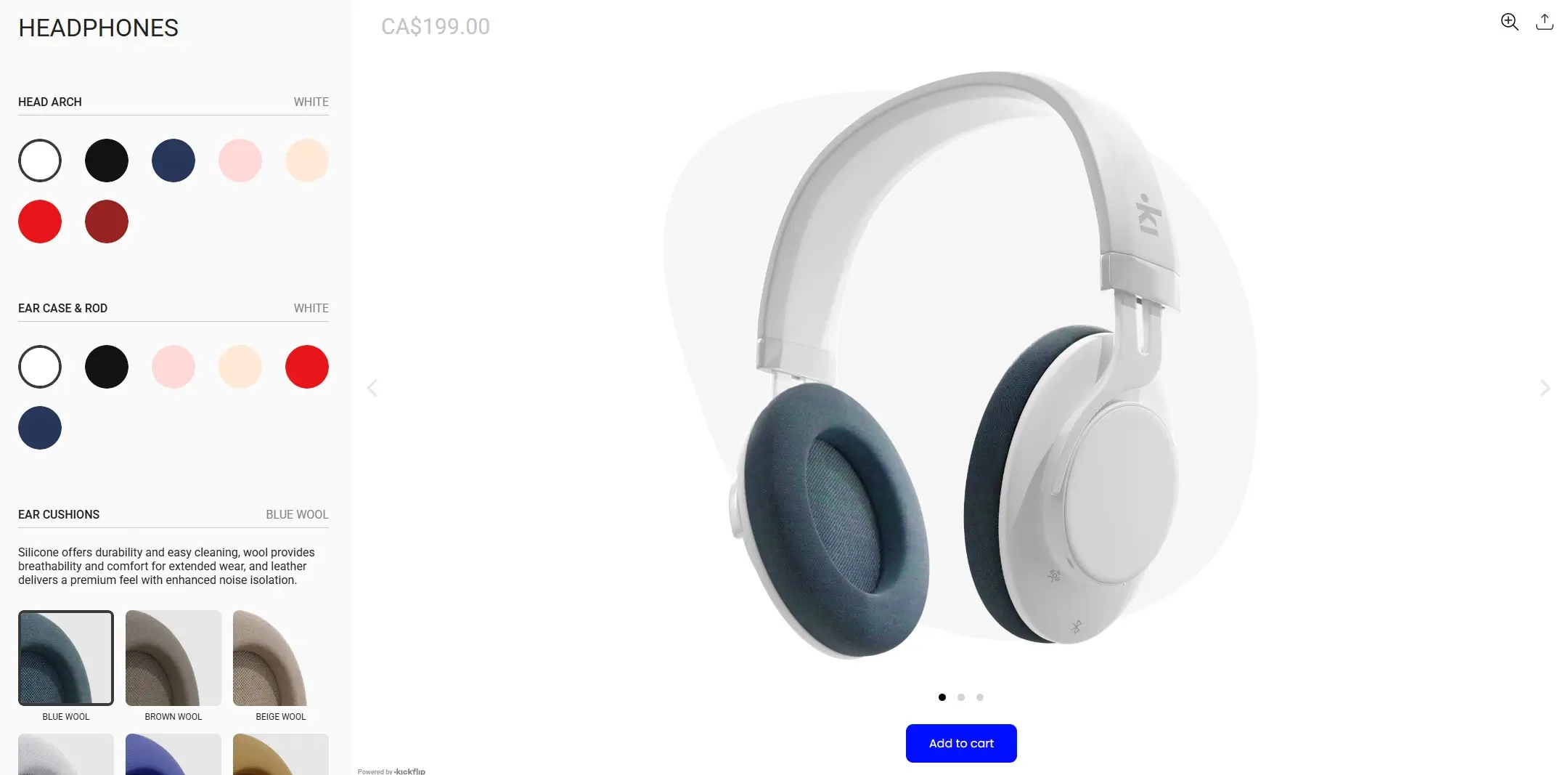
Kickflip is the no-code solution for adding real-time product customization to your store.
Here's what it does in plain English. Customers see their personalized product change instantly as they make choices. Colors, text, images, materials, everything updates in real-time.
Core Features:
Visual Builder: Drag-and-drop interface for creating configurators
Conditional Logic: Show/hide options based on previous choices
Dynamic Pricing: Prices update automatically as customers customize
Variant Integration: Works seamlessly with your existing product variants
Platform Support: Full integration with Shopify, WooCommerce, and Wix. API available for custom platforms.
Pricing: $59/month with transaction fees from 1.95% to 0% (decreasing with volume). White-label option available for $49/month.
Best For: Stores selling customizable products who want to increase engagement and average order value without hiring developers.
How Kickflip Integrates With Your Stack
The beauty of Kickflip? It plays nice with everything else.
Storefront Integration: Embeds directly into product pages
Cart and Checkout: Custom configurations flow seamlessly to purchase
Email Marketing: Customization data feeds into Klaviyo and Mailchimp campaigns
Analytics: Track which customization options drive the highest conversions
Want to see it in action? Check out the product configurator in detail.
Reviews and Social Proof Apps
Social proof isn't optional anymore.
93% of customers read reviews before buying. And stores with reviews see 15-25% higher conversion rates.
But here's the thing. Not all review apps are created equal.
Why Reviews Are Non-Negotiable
Reviews do three things for your store:
Build Trust: New customers need proof your products deliver
Boost SEO: Rich snippets and fresh content improve search rankings
Increase AOV: Detailed reviews help customers choose higher-value options
The key? Focus on text, photo, and video reviews. Visual proof converts 3x better than text alone. For a list of top options, expert reviews of apps can be a great starting point.
Judge.me: Comprehensive Review Management
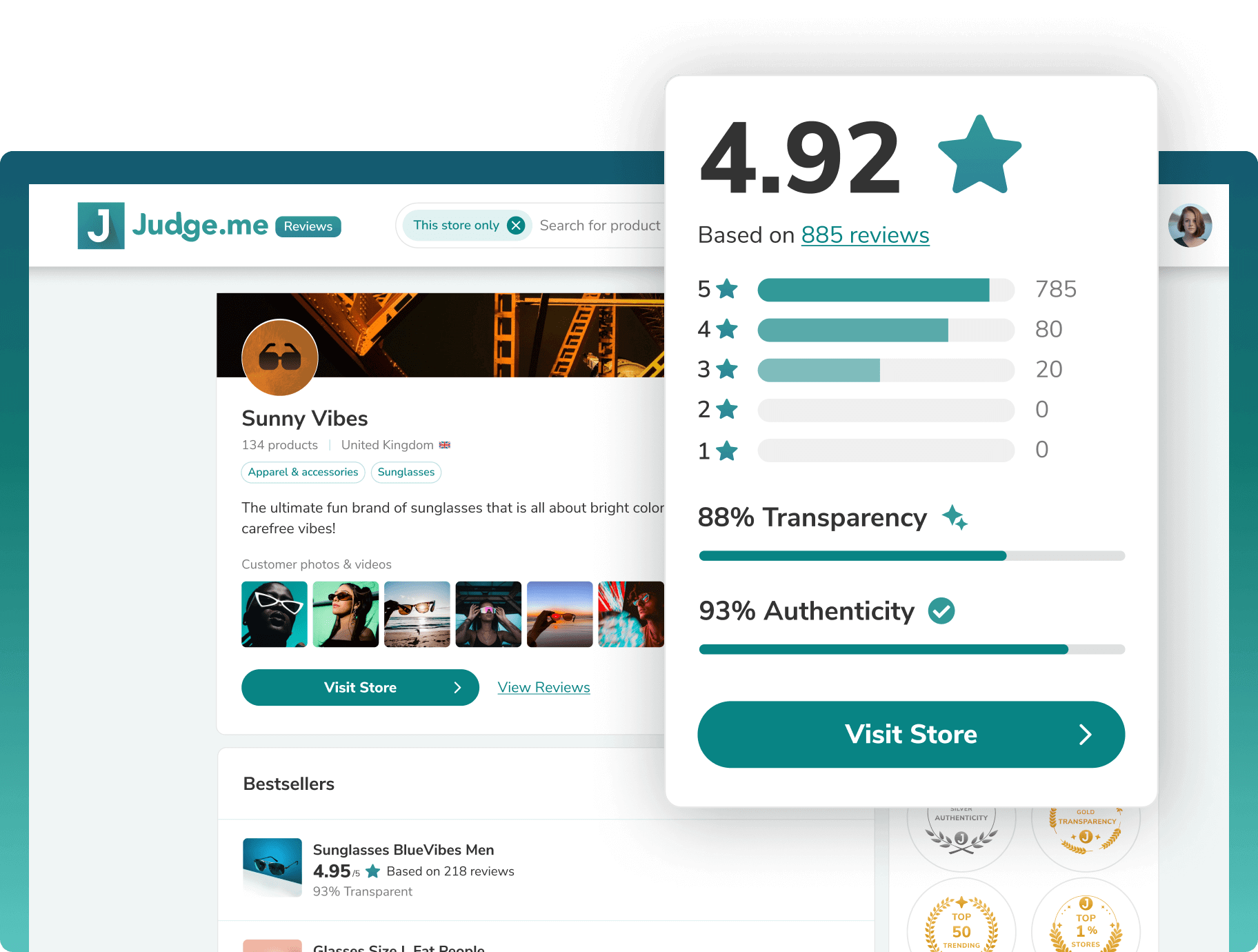
Judge.me is the go-to choice for Shopify stores that want more than basic star ratings.
Key Features:
Automated review request emails
Photo and video review collection
Customizable review widgets
SEO-optimized rich snippets
Import reviews from other platforms
Pricing: Free plan available. Paid plans start around $15/month for advanced features.
Best For: Stores that want comprehensive review management with strong SEO benefits.
Stamped.io: Visual-First Review Platform
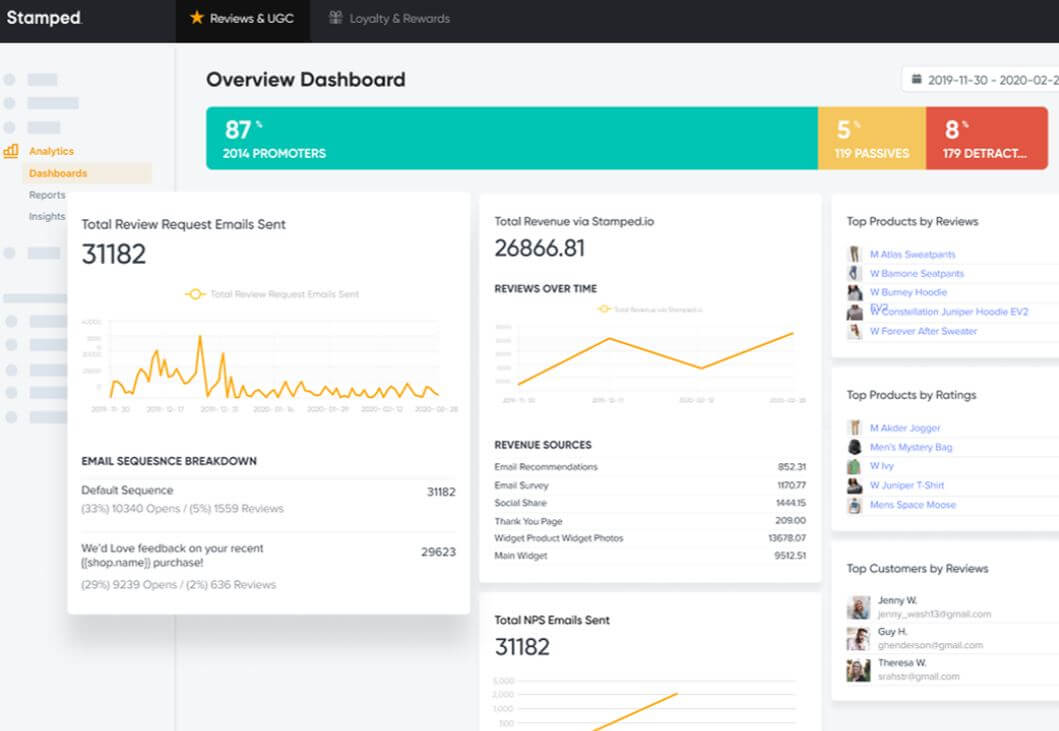
Stamped focuses on collecting and displaying visual reviews that drive conversions.
Standout Features:
Instagram integration for user-generated content
Advanced photo review tools
Net Promoter Score surveys
Loyalty program integration
Best For: Visual brands that want to leverage user-generated content for marketing.
Integration Tips
Product Pages: Display reviews prominently above the fold
Email Flows: Send review requests 7-14 days after delivery
Custom Products: Reviews work especially well with configurators. Customers love sharing their unique creations.
Marketing Automation Apps
Email marketing still delivers the highest ROI of any digital channel.
$36 for every $1 spent, according to DMA research.
But only if you do it right.
Why Email and SMS Automation Matters
Marketing automation handles the heavy lifting:
Welcome Series: Introduce new subscribers to your brand
Abandoned Cart Recovery: Bring back 15-25% of abandoned carts
Post-Purchase Flows: Drive repeat purchases and reviews
Win-Back Campaigns: Re-engage dormant customers
You can find a wide variety of marketing automation tools on marketplaces like the HubSpot Ecosystem.
Klaviyo: The eCommerce Email Powerhouse
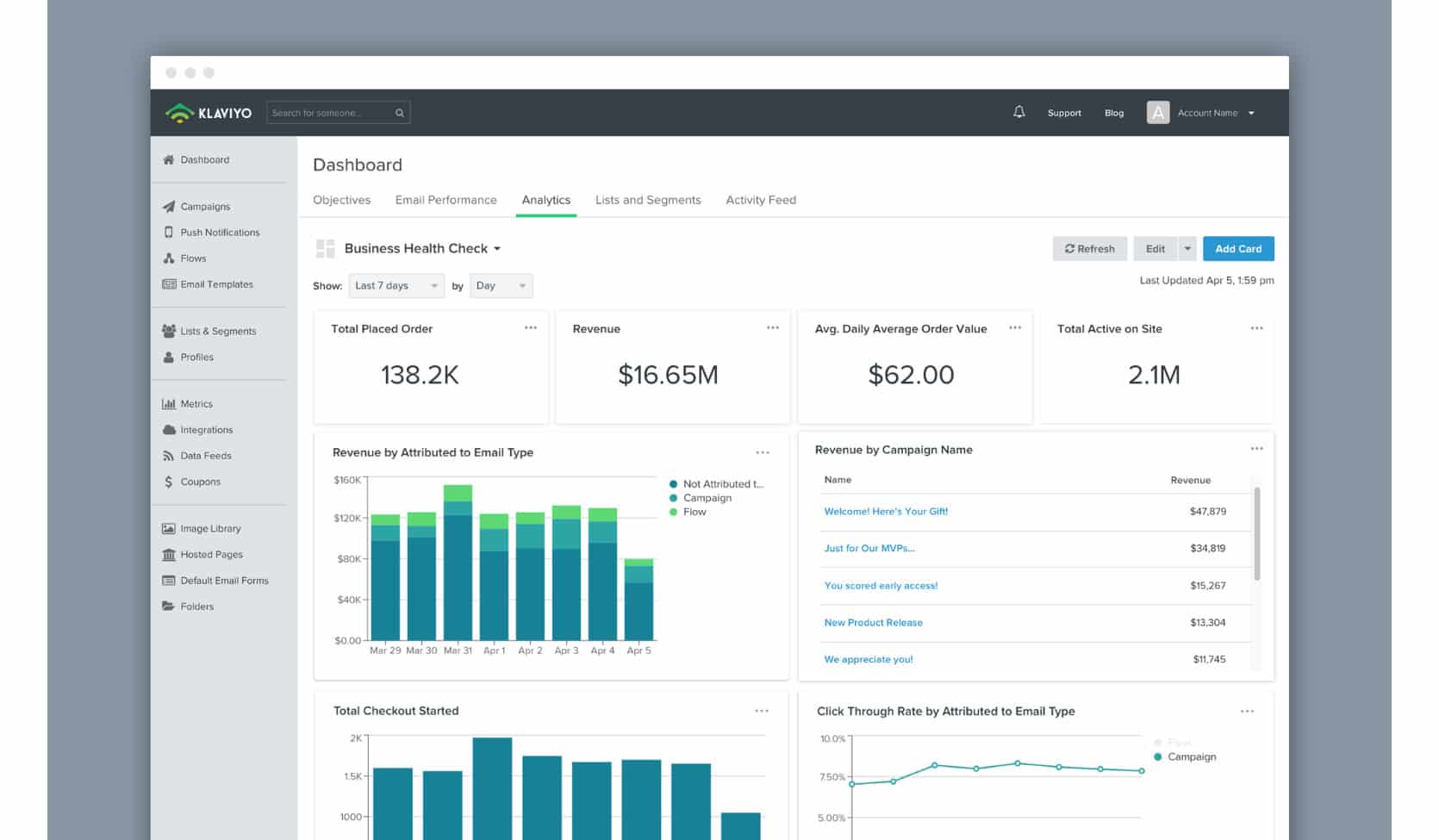
Klaviyo is the default choice for serious eCommerce brands.
Here's why.
Advanced Segmentation: Create laser-focused audiences based on purchase history, browsing behavior, and engagement patterns.
Predictive Analytics: Know which customers are likely to churn or become VIPs.
Revenue Attribution: Track exactly how much revenue each email generates.
Deep Integrations: Native connections with Shopify, WooCommerce, and hundreds of other apps.
Pricing: Free up to 250 contacts. Paid plans start around $20/month based on contact count.
Best For: Growing DTC brands that want sophisticated automation and detailed analytics.
Mailchimp: Beginner-Friendly Alternative
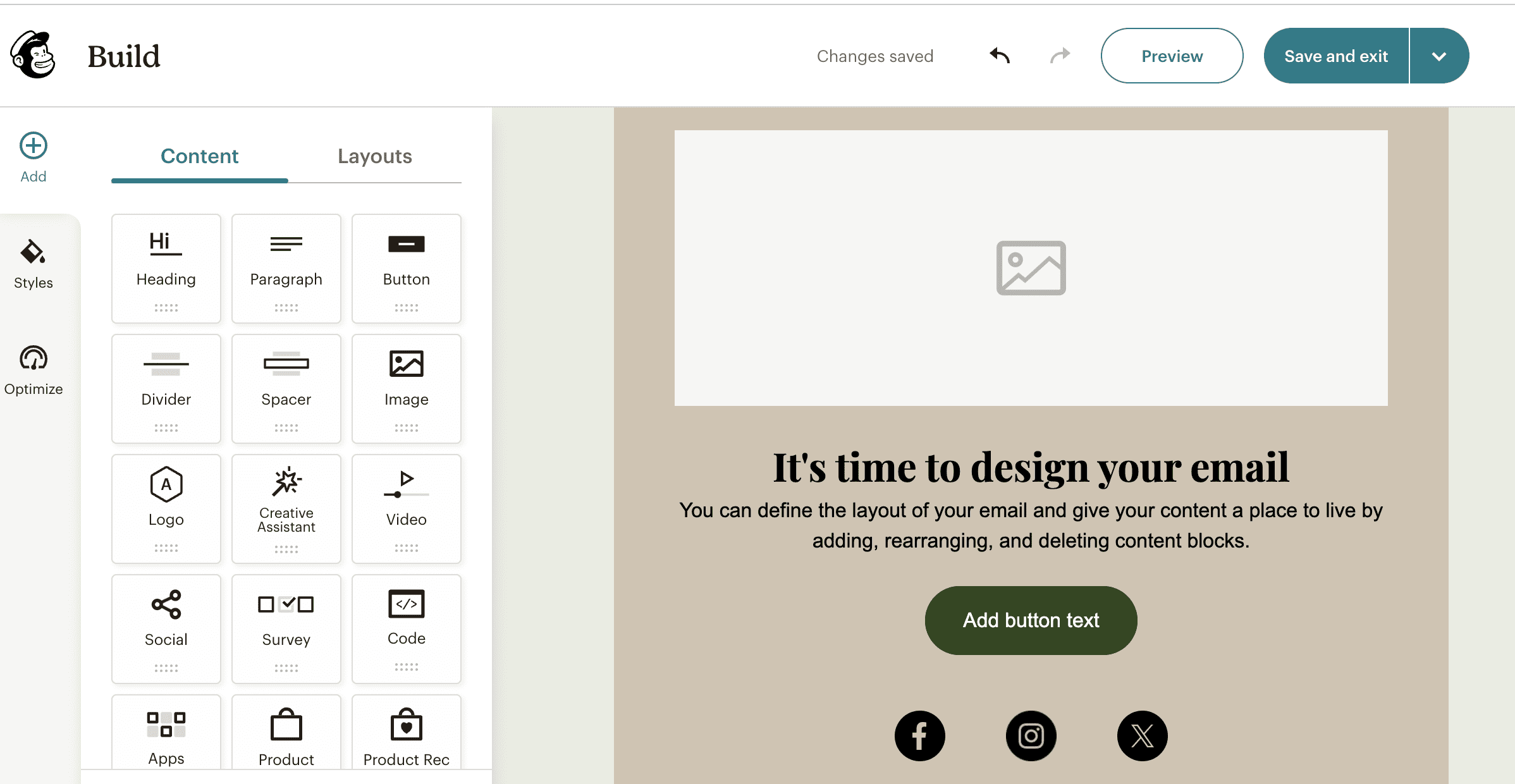
Mailchimp offers solid email marketing with a gentler learning curve.
Strengths:
Intuitive drag-and-drop email builder
Pre-built automation templates
Basic eCommerce integrations
Affordable pricing for smaller lists
When to Choose Mailchimp: You're just starting out or have simple email needs.
When to Choose Klaviyo: You want advanced segmentation and revenue tracking.
Cross-App Automation Examples
Review Requests: Automatically send review invitations through Klaviyo after Judge.me detects a delivered order
Custom Product Follow-ups: Create special email sequences for customers who use Kickflip configurators
Support Integration: Trigger win-back emails when Gorgias flags a support ticket as resolved
Analytics and Reporting Apps
You can't optimize what you can't measure.
But most store owners make a critical mistake. They only look at surface-level metrics like total sales.
Big picture analytics miss the details that drive real improvements.
Why You Need More Than Basic Analytics
Platform analytics show you what happened. Advanced analytics show you why. Understanding the "why" often requires a search intent analysis for eCommerce.
Critical blind spots in basic reporting:
Which products drive the highest customer lifetime value
Where customers drop off in your funnel
How different traffic sources affect purchase behavior
Which email campaigns generate the most repeat purchases
Google Analytics 4: Web Analytics Foundation
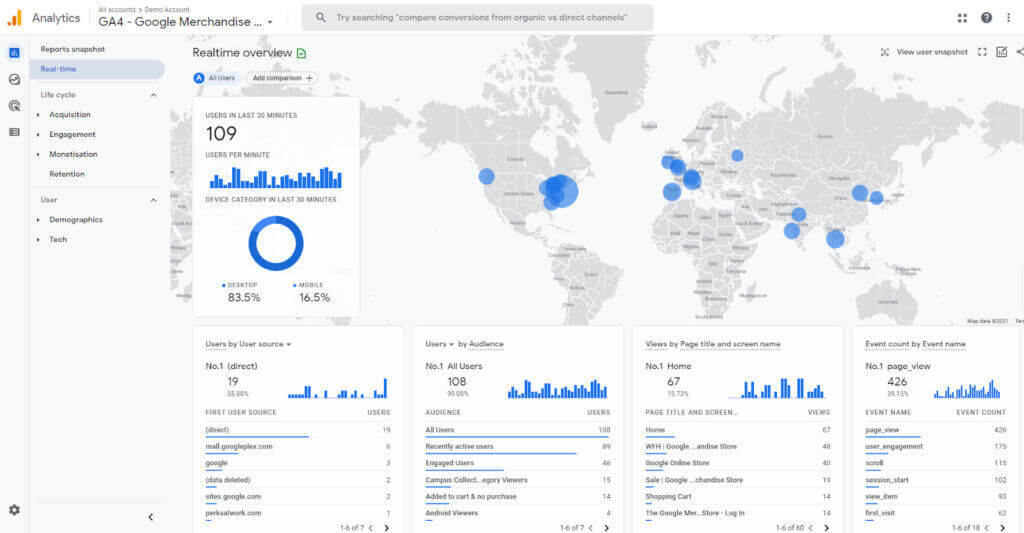
GA4 is your free foundation for understanding customer behavior.
Essential eCommerce Setup:
Enhanced eCommerce tracking
Goal and conversion tracking
Audience segmentation
Attribution reporting
Key Reports to Monitor:
eCommerce overview
Product performance
Shopping behavior analysis
Checkout behavior
Limitations: GA4 excels at traffic analysis but lacks deep customer insights and revenue attribution that eCommerce-specific tools provide. To get more from it, you must optimize the eCommerce experience for search intent.
Shopify Analytics: Platform-Native Insights
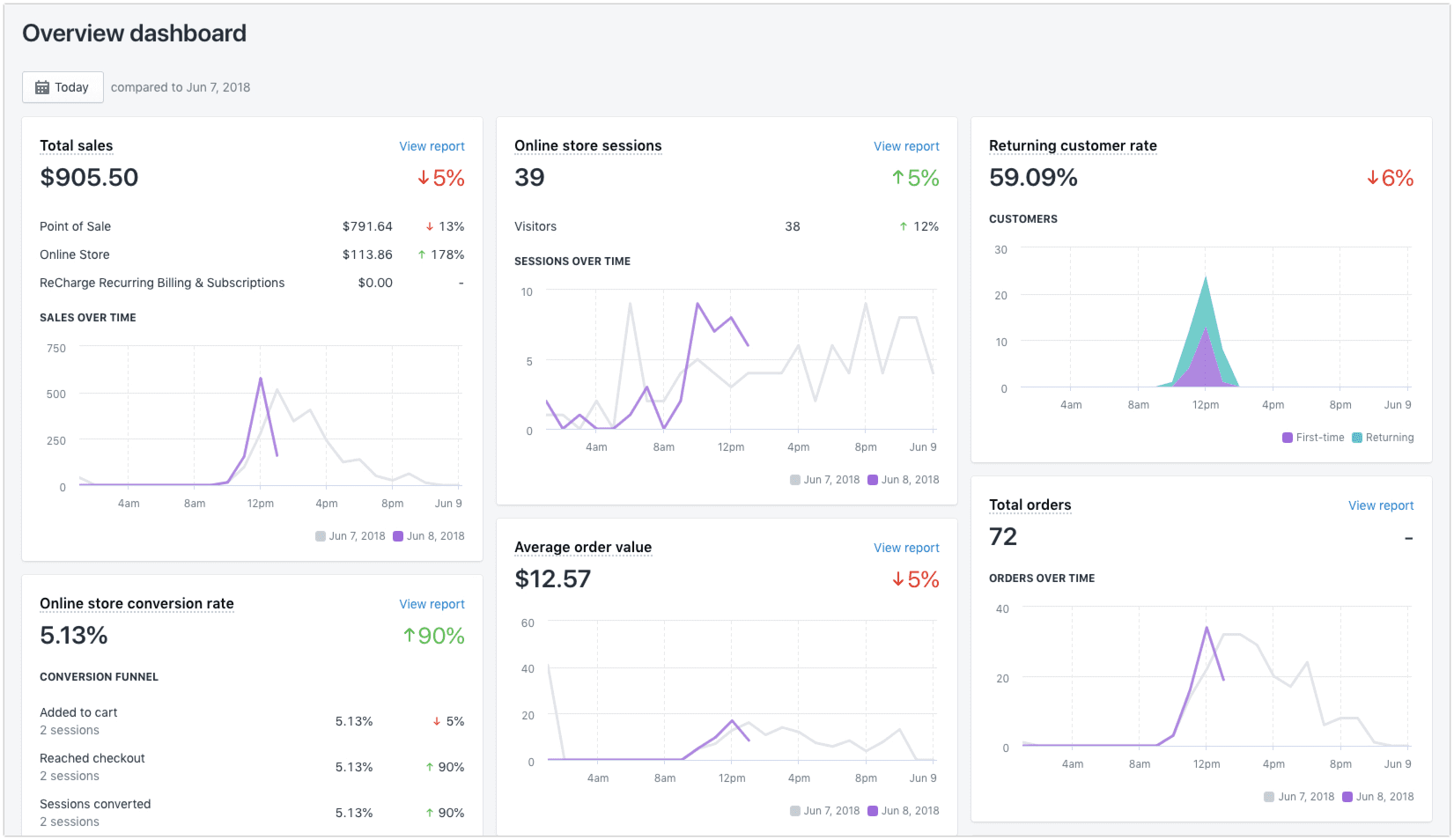
Shopify's built-in analytics complement GA4 with commerce-specific metrics:
Customer lifetime value
Average order value trends
Top products by revenue
Sales by traffic source
Pro Tip: Use Shopify Analytics for business metrics and GA4 for customer journey insights. Together, they give you the complete picture.
Tracking App Performance
Don't forget to measure how your apps perform:
Kickflip Impact: Track conversion rates and AOV for customizable vs. standard products
Review App ROI: Monitor how star ratings affect conversion rates
Email Attribution: Measure revenue from Klaviyo campaigns vs. other channels
Customer Service and Help Desk Apps
Great customer service isn't a cost center.
It's a revenue driver.
Customers who have positive support experiences spend 140% more than those who don't. And 89% will buy again after a positive service interaction.
Why Support Is Core to Customer Experience
Fast, helpful support affects three business metrics:
Customer Retention: Solve problems quickly, keep customers longer
Word-of-Mouth Marketing: Happy customers become brand advocates
Repeat Purchase Rate: Great service drives loyalty and repeat business
Modern customers expect support across email, chat, social media, and phone. One channel isn't enough. The growth of mobile commerce, exemplified by Shopify's record-breaking Black Friday sales, means mobile support is crucial.
Gorgias: Built for eCommerce Teams
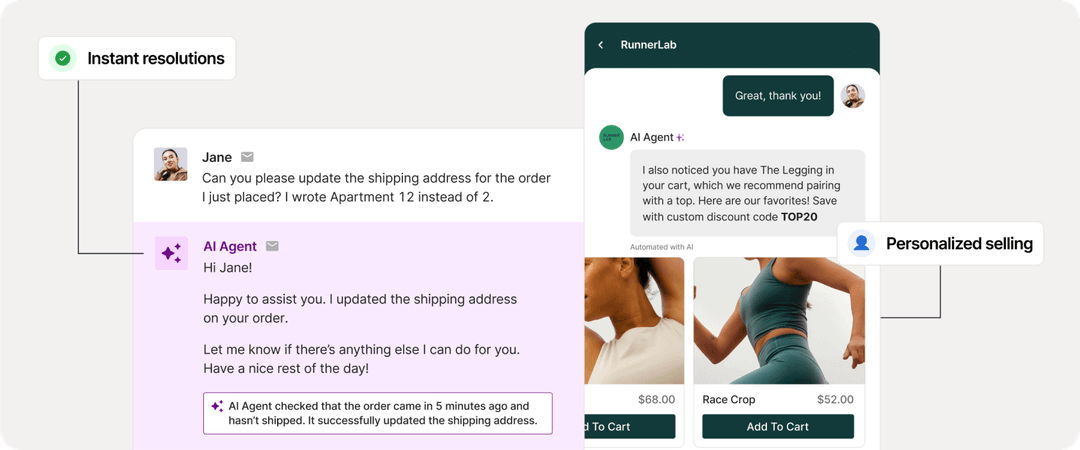
Gorgias is designed specifically for online stores, not generic businesses.
eCommerce-Focused Features:
Order Management: View and modify orders directly from tickets
Shopify Integration: Access customer data and order history instantly
Automated Responses: Handle common questions about shipping, returns, and sizing
Revenue Tracking: See how much revenue your support team generates
Multichannel Inbox: Manage email, live chat, Facebook, Instagram, and phone from one dashboard.
Pricing: Plans start around $60/month for small teams. Scales with ticket volume.
Best For: eCommerce brands that want deep platform integration and revenue-focused support metrics.
Zendesk: Enterprise-Grade Support Platform
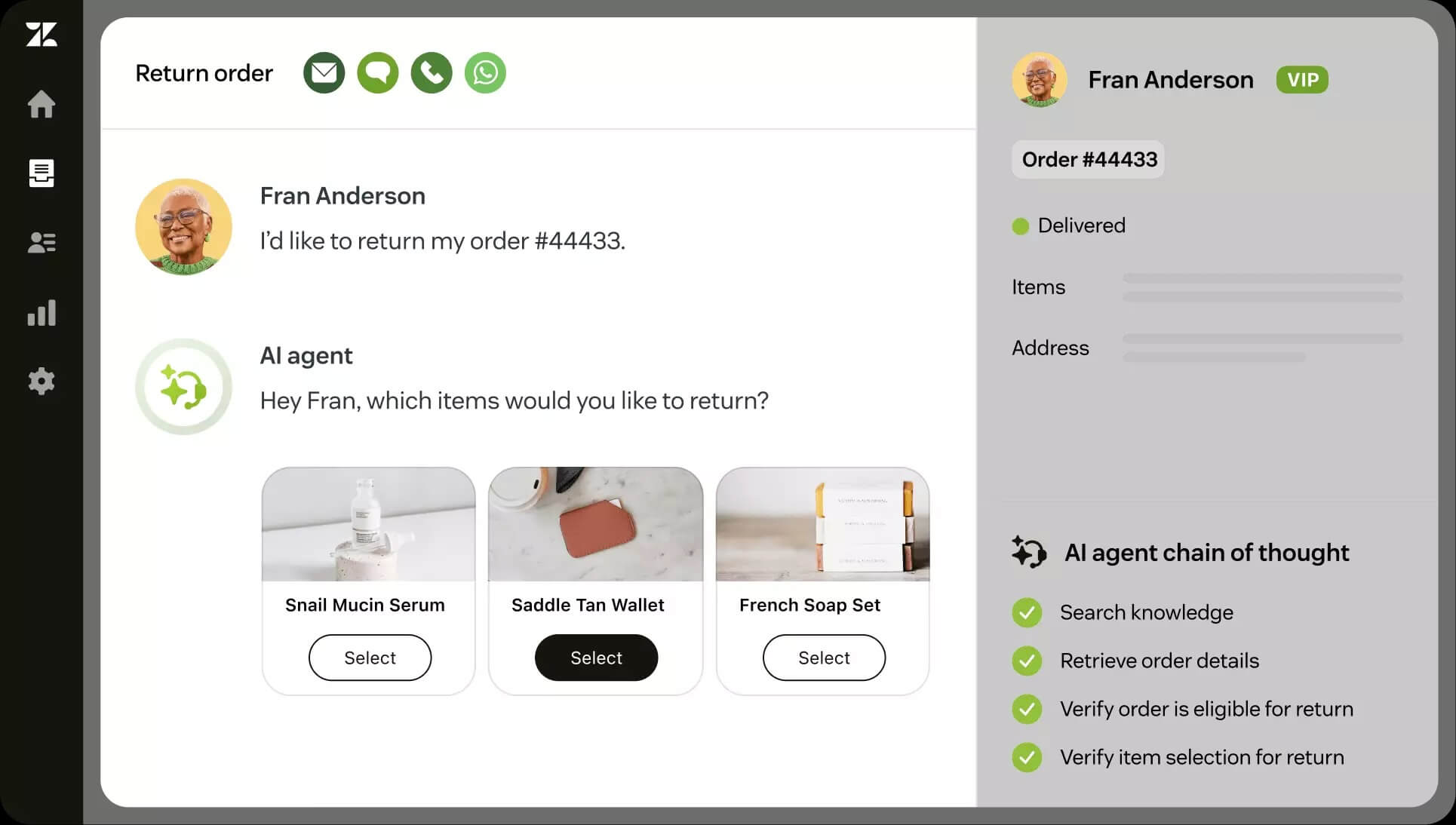
Zendesk offers powerful features for larger teams with complex support needs.
Strengths:
Advanced reporting and analytics
Robust automation and workflow tools
Extensive third-party integrations
Enterprise security and compliance
When to Choose Zendesk: You have a large support team or complex support workflows.
When to Choose Gorgias: You want eCommerce-specific features and easier setup.
Support Data Drives Business Decisions
Your support app should feed insights back into your business:
Product Issues: Track which products generate the most support tickets
Content Gaps: Identify common questions that need FAQ pages
Process Improvements: Find friction points in checkout or shipping
Integrate support data with your email marketing to create better customer experiences.
Inventory Management and Shipping Apps
Fulfillment might happen behind the scenes, but it's the make-or-break moment for customer experience.
Slow shipping kills repeat purchases. Stock-outs destroy trust. Poor packaging damages your brand.
Get this right, and customers become loyal advocates.
Why Fulfillment Tools Matter for Customer Experience
Shipping directly impacts two critical metrics:
Customer Lifetime Value: Fast, reliable shipping drives repeat purchases
Review Scores: Delivery problems tank your ratings and social proof
The cost of getting inventory wrong? Lost sales from stock-outs and dead money tied up in slow-moving products.
ShipStation: Shipping and Order Management
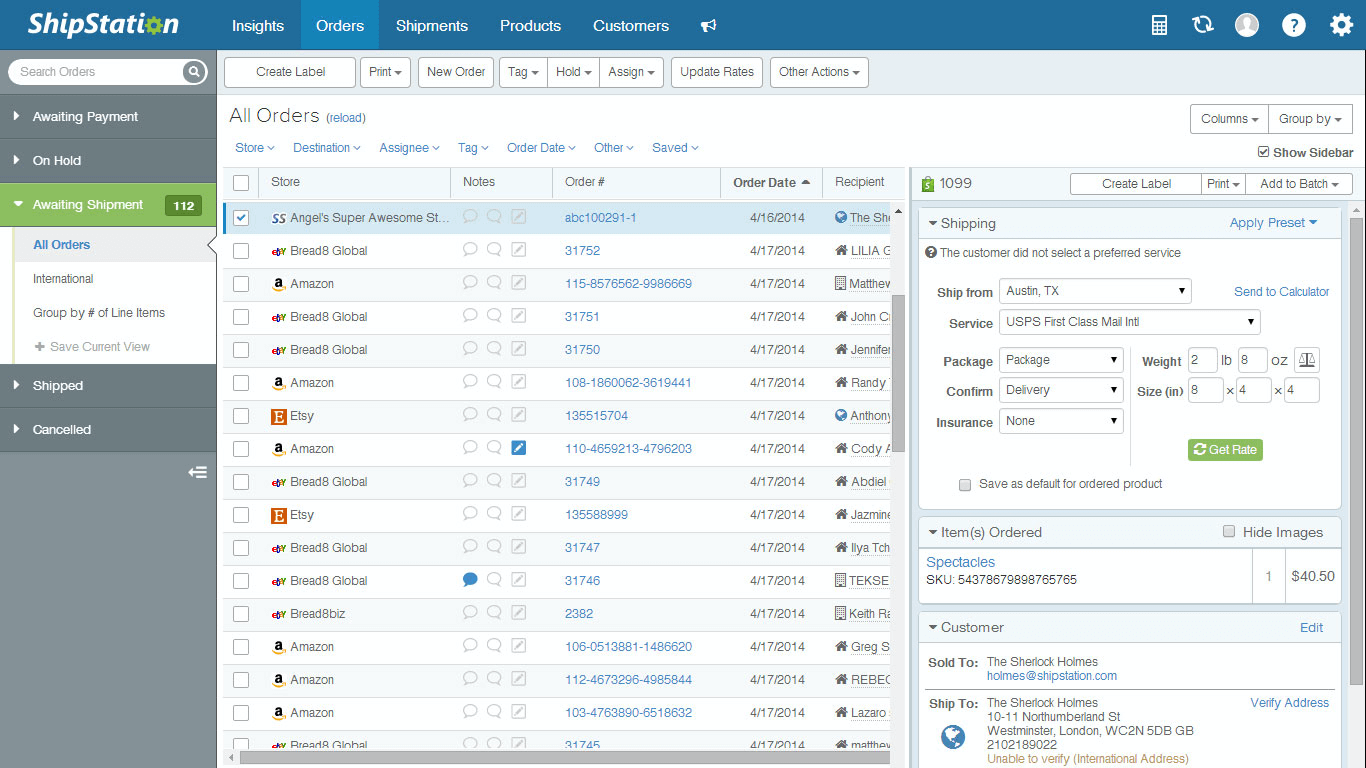
ShipStation streamlines everything from label printing to carrier management.
Core Features:
Multi-Carrier Support: Compare rates across USPS, UPS, FedEx, and regional carriers
Automation Rules: Auto-assign shipping methods based on order value, destination, or product type
Branded Tracking: Custom tracking pages that reinforce your brand
Inventory Sync: Real-time inventory updates across sales channels
Platform Integration: Native connections with Shopify, WooCommerce, Amazon, eBay, and more.
Pricing: Plans start around $9/month for small volume. Scales with monthly shipments.
Best For: Stores shipping 50+ orders per month that want to automate fulfillment and reduce shipping costs.
Dropshipping and Sourcing Tools
For dropshipping models, apps like Oberlo connect your store to suppliers.
Benefits:
No upfront inventory investment
Automated order forwarding to suppliers
Product importing with one click
Trade-offs:
Less control over shipping times
Lower profit margins
Dependency on supplier reliability
For more insights into this model, data on top mobile shopping apps can reveal trends in dropshipping and direct-to-consumer sales.
Kickflip's Inventory Management
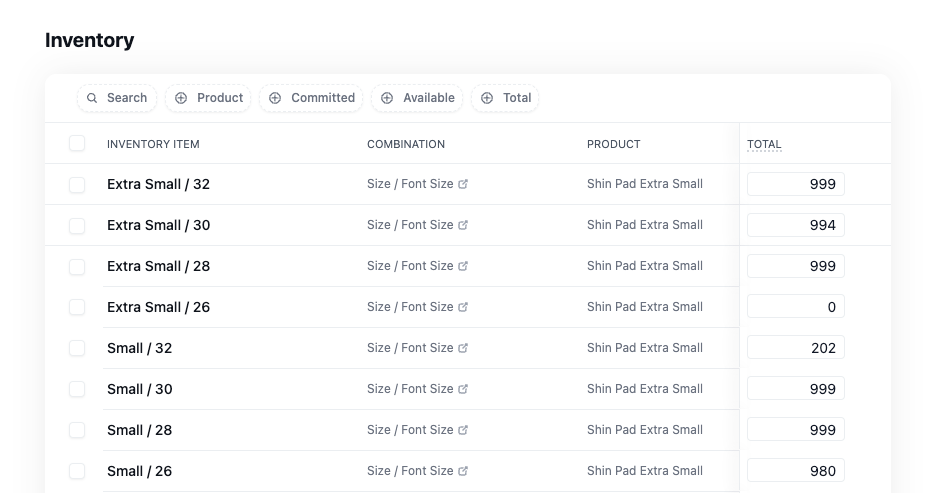
For stores selling customizable products, Kickflip offers specialized inventory tracking:
Component-Level Tracking: Track stock for individual parts of custom products
Variant Management: Handle complex product configurations with shared inventory
Platform Sync: Integrate with Shopify's native inventory system
Stock Validation: Real-time stock checks during checkout
This is especially valuable for custom products where multiple options share common components.
Payment Processing Apps
Your checkout is where browsers become buyers.
Or where they abandon their carts forever.
23% of cart abandonment happens because of payment issues. That's millions in lost revenue for growing stores.
Why Checkout Experience Is Critical
Modern shoppers expect:
Multiple Payment Options: Credit cards, digital wallets, buy now pay later
Fast, Secure Processing: No lengthy forms or security concerns
Mobile Optimization: Seamless payments on any device
Trust Signals: SSL badges, security certifications, fraud protection
The right apps are transforming online shopping with better checkout experiences.
Shopify Payments: Native Checkout Integration
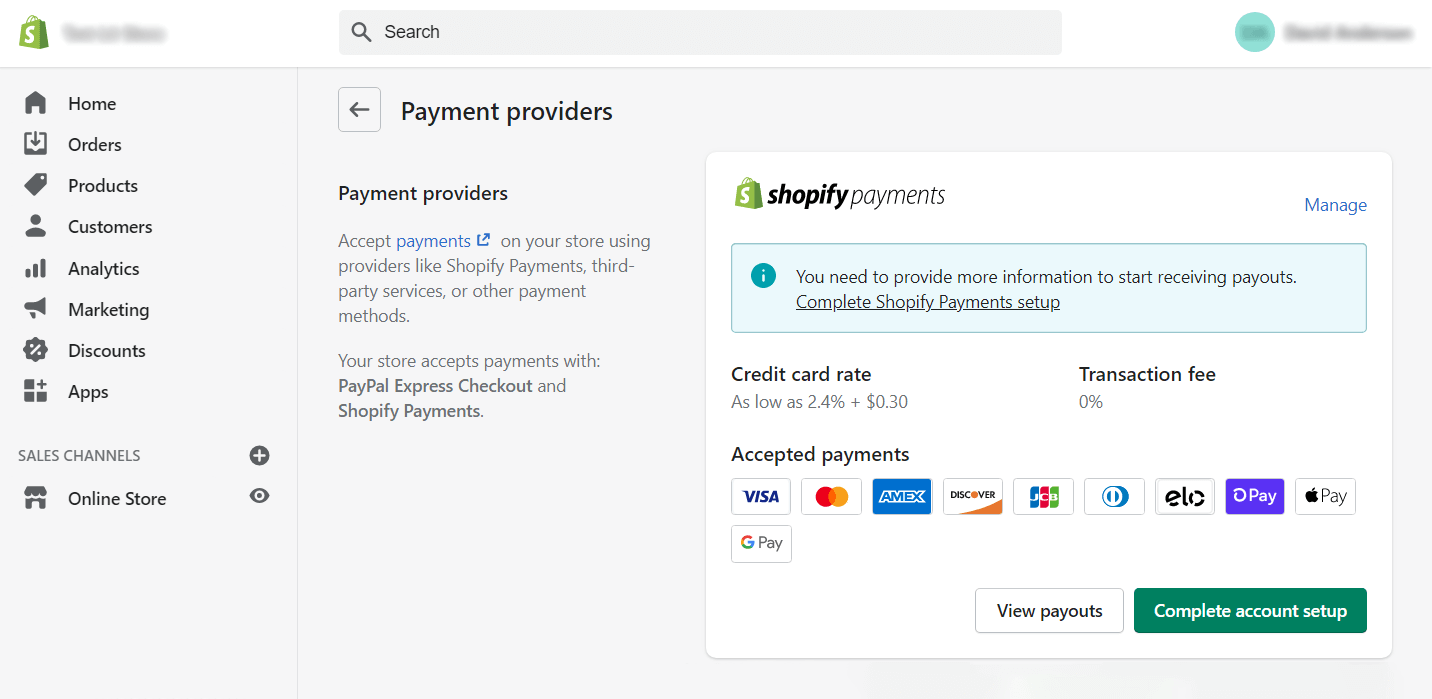
Shopify Payments offers the smoothest experience for Shopify merchants.
Key Benefits:
Reduced Friction: No redirect to external payment pages
Fraud Protection: Built-in fraud analysis and chargebacks protection
Multi-Currency Support: Accept payments in customer's local currency
Unified Reporting: Payment data integrates with Shopify analytics
Competitive Rates: 2.9% + 30¢ for online transactions (lower for higher volume).
When to Use: You're on Shopify and want the simplest, most integrated payment solution.
Stripe: Flexible Payment Infrastructure
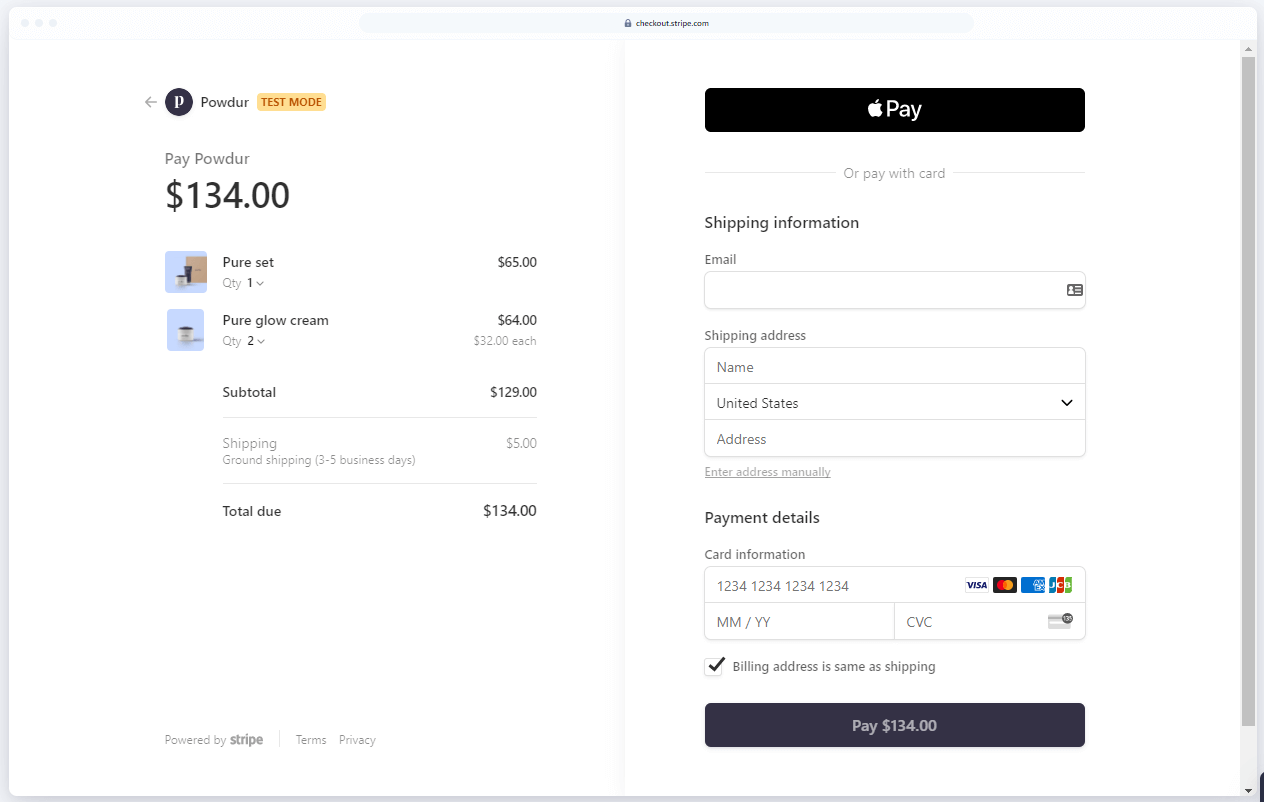
Stripe powers payments for businesses from startups to Fortune 500 companies.
Strengths:
Developer-Friendly API: Easy to customize and integrate
Global Coverage: Accept payments in 135+ countries
Subscription Support: Built-in recurring billing for subscription products
Advanced Features: Machine learning fraud detection, revenue recognition tools
Best For: Businesses with complex payment needs or custom checkout requirements.
Pricing: Similar to Shopify Payments (2.9% + 30¢) but with more customization options.
Payment Strategy for Custom Products
Customizable products often have higher average order values, making payment flexibility crucial:
Installment Options: Consider Klarna or Afterpay for high-value custom items
Quote-Based Pricing: For complex customizations, integrate with Kickflip's CPQ feature
Multiple Currencies: Essential if selling internationally
The key? Remove any friction between customization and purchase.
Putting It All Together: Your Essential eCommerce App Stack
Here's how the pieces fit together.
Example "Essential Stack" for a Growing Brand
Platform: Shopify. Foundation and app ecosystem.
Customization: Kickflip. Visual product configurator.
Reviews: Judge.me. Social proof and SEO.
Email Marketing: Klaviyo. Automated campaigns and segmentation.
Analytics: GA4 + Shopify Analytics. Traffic and business insights.
Customer Service: Gorgias. eCommerce-focused support.
Shipping: ShipStation. Order fulfillment automation.
Payments: Shopify Payments. Integrated checkout experience.
Total Monthly Cost: $200-400 for a store doing $50K+ monthly revenue.
Data Flow: Customer browses, customizes product (Kickflip), purchases (Shopify Payments), receives follow-up email (Klaviyo), ships (ShipStation), gets review request (Judge.me), support if needed (Gorgias).
How to Prioritize What to Install Next
Don't install everything at once. Use this framework:
Identify Your Biggest Bottleneck: Low conversion? Poor email performance? Shipping issues?
Pick One Category: Focus on the app that solves your biggest problem first
Test and Optimize: Give it 30-60 days to show results before adding more
Measure Impact: Track metrics before and after installation
Quick Decision Checklist:
Does this app solve a real problem we're facing?
Will it integrate cleanly with our existing stack?
Can we set it up without major development work?
Is there clear ROI within 90 days?
Transform Your Store's Customer Experience
The difference between stores that struggle and stores that scale? The right app stack.
You now have the blueprint for building a high-converting eCommerce experience. But knowing and doing are two different things.
Start with your biggest bottleneck. If you're selling any type of customizable product, that bottleneck is likely your product pages.
Static images and dropdown menus don't cut it anymore. Customers want to see exactly what they're buying before they commit.
That's where Kickflip comes in.
Our visual product configurator integrates seamlessly with Shopify, WooCommerce, and Wix to give your customers real-time previews of their customizations. No coding required. No long implementation timelines.
Just plug it in and watch your engagement, average order value, and conversion rates climb.
Ready to see what interactive product experiences can do for your store? Start your free trial today and join thousands of merchants who've transformed their customer experience with Kickflip.
Frequently Asked Questions
What are the essential eCommerce apps every online store should have?
Every store needs apps for platform foundation (Shopify/WooCommerce/Wix), email marketing (Klaviyo/Mailchimp), analytics (Google Analytics 4), customer reviews (Judge.me), and payment processing. Beyond that, add apps based on your specific bottlenecks: product customization (Kickflip), customer service (Gorgias), or shipping automation (ShipStation).
How many eCommerce apps should I install without slowing down my store?
Most successful stores run 8-15 apps total. More than that risks slower load times and integration issues. Focus on one essential app per major business function rather than multiple apps doing similar things.
Do I still need separate apps if I'm using Shopify, WooCommerce, or Wix?
Yes. While platforms like those provide basic eCommerce functionality, specialized apps offer advanced features that drive conversions: sophisticated email automation, visual product customization, comprehensive review management, and professional customer service tools that platforms don't include natively.
How do I choose the right eCommerce apps for my business model and tech stack?
Start by identifying your biggest conversion bottleneck. Then choose apps that integrate natively with your platform, have strong reviews from similar businesses, offer transparent pricing, and can be set up without developer help. Test one app at a time and measure its impact before adding more.
Are paid eCommerce apps worth it compared to free options?
Paid apps are worth it when they solve real business problems and generate ROI. Free apps work for basic needs, but paid versions offer advanced features, better support, and deeper integrations. For example, Klaviyo's paid email automation typically generates 20-30x ROI compared to basic free email tools.
Future reading
Ecommerce Conversion Optimization in 2026: 10 Proven Strategies That Actually Work
11 Bold Ecommerce Marketing Strategies for 2026
Ecommerce Personalization’s Benefits: The Best Practices
Share This article

Written by Marie Lamonde
March 10th, 2026
Marie Lamonde is a Content Marketing Manager at Kickflip with 8 years of experience writing about digital marketing, SaaS, and ecommerce. She specializes in creating clear, search-driven content that attracts, engages, and converts.


Maarten Luyckx
Osaka World
The user-friendly interface of Kickflip, combined with excellent customer service, ensured that this project was brought to a successful and beautiful conclusion.
Shopify App Store
May 20, 2021

Marie-Laetitia Rossazza
My Dust Bag
It took me a long time to find the perfect customizer app, and I’m so happy to say that I finally did! Kickflip is truly the best app on the market. The front end and back end are excellent, and the team behind it is incredibly kind and helpful!
Shopify App Store
September 1, 2023

Brad Jurga
All-Star Sporting Goods
Kickflip made everything easy, from designing the builder all the way through launch. We’re designing truly custom equipment for elite baseball players and this platform allows us to have better engagement and excitement around our brand. We’re seeing an instant return.
Shopify App Store
June 16, 2025

Kasper Taylor
CodedInk
My experience with both the product and the support team has been fantastic. The user interface and user experience are excellent. The features are powerful, and the WooCommerce integration is seamless and easy to set up.
G2.com
June 16, 2025

Saber Naceur
Vinylacy
By far, and I truly mean it, the best customizer available on Shopify. It’s easy to understand and manage, offers options for all types of products, and works extremely well. On top of that, it looks beautiful and feels premium. Highly recommended.
Shopify App Store
December 17, 2022

Jesus Guillermo de León Pérez
Dismo
Kickflip is a fantastic tool. It’s super intuitive, easy to use, and packed with capabilities. You don’t have to be an expert or have experience with other products to get started. The support team is also great and very responsive.
Shopify App Store
July 10, 2024

Frieder Urban
Era of Arc
We were looking for an uncomplicated configurator that was quick and easy to set up, offered plenty of design options, and worked reliably with fast loading times. We tested many configurators on the market, and with Kickflip, we found exactly what we needed.
Shopify App Store
October 10, 2024

John Taggart
Jack Harry and Ollie
What a great addition to our business Kickflip has been. It’s been fantastic to offer our customers the ability to personalize their orders. The support has been excellent, and we especially love that the pricing is tied to our success as customers make purchases.
Shopify App Store
May 7, 2021

TJ Garske
The Net Return
Kickflip saves our team a ton of time by eliminating the need to create custom mockups for customers. Customers can build their product themselves and place an order instantly, without any back-and-forth.
G2.com
January 26, 2026

Amin Hasani
CURVD
After extensive research into product customizer tools, we chose Kickflip for many reasons. We don’t like complicating simple tasks for customers, and Kickflip helped us simplify the process and create a seamless customer experience.
Shopify App Store
July 29, 2025